Call Tracking Mistakes Small Business Owners Make in 2026
 by Parvez Zoha
Call Tracking Mistakes Small Business Owners Make in 2026
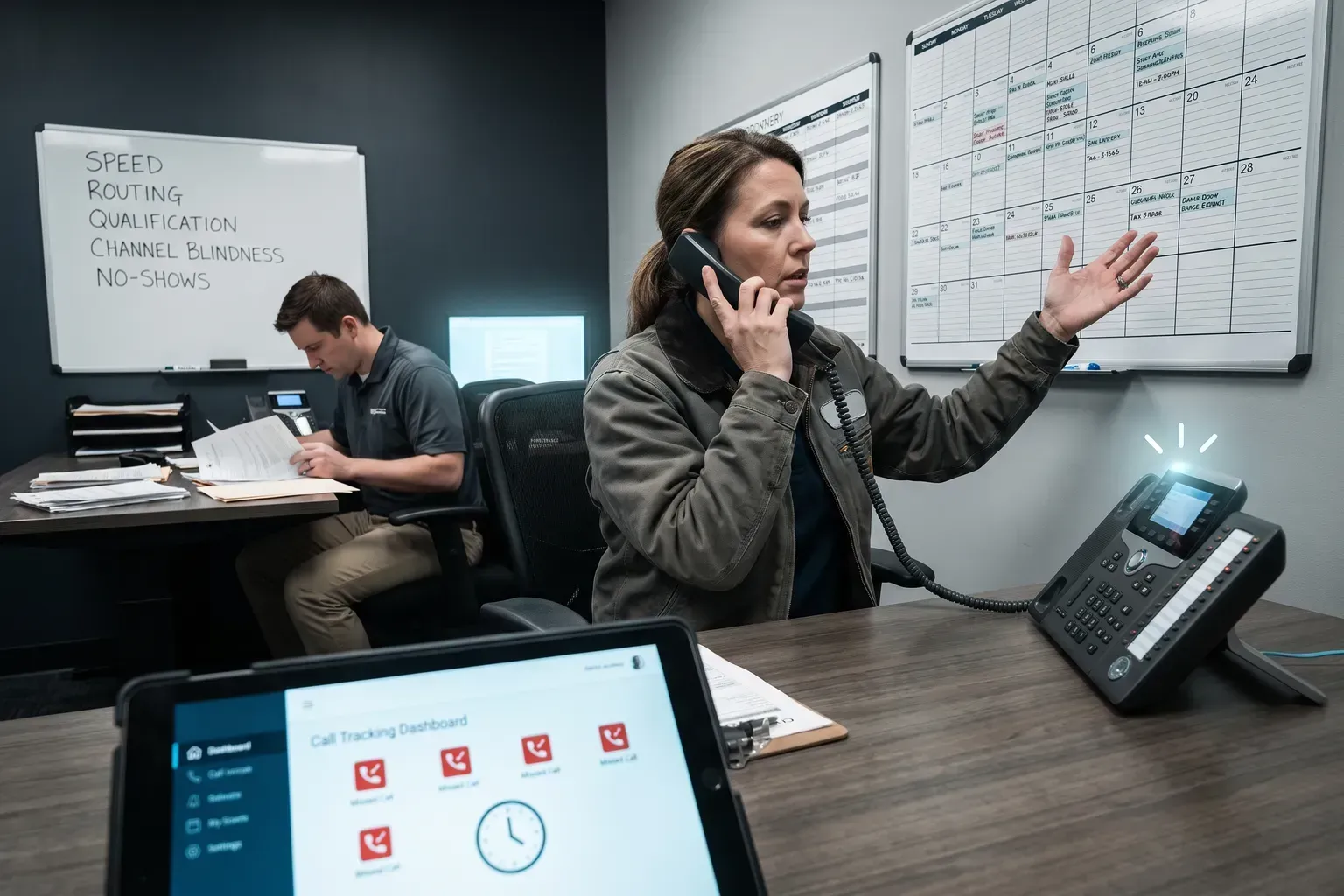
Most small businesses lose revenue from calls they never answer or answer too slowly. Call tracking mistakes small business owners make fall into five categories: speed failures, routing failures, qualification gaps, channel blindness, and no-show bleeding. Each one costs real money. This guide shows you what goes wrong, why it happens, and how to fix it.
Key takeaways
- Routing calls to the wrong team member or voicemail kills conversion before the conversation starts.
- Qualification data (budget, timeline, property type) must be captured on every call or your sales team wastes time on unqualified leads.
Call Tracking Mistake #1: Answering Too Slowly or Not at All
When a caller reaches your business line and hears a menu, a delay, or an unanswered ring, they hang up. They don't call back. They call your competitor.
If your system doesn't acknowledge them—with a real voice or an immediate AI greeting—they're gone. That's not opinion. That's how phone behavior works.
The mistake happens because:
- Your team is on other calls or out in the field.
- You don't have a dedicated person to answer phones.
- Your phone system routes to voicemail by default.
In our experience, teams underestimate how many callers abandon a phone menu. A solo operator or small team can't physically answer every call in real time. That's not laziness—it's math. You have five calls coming in at once, and you have two hands.
The fix: Deploy an AI agent that answers every inbound call within 60 seconds, 24/7/365. The agent qualifies the caller, books an appointment if the caller is ready, and logs the interaction so your team sees it immediately. No call is ever ignored. No lead waits in a queue.
Call Tracking Mistake #2: Routing Calls to the Wrong Person
Call tracking mistakes small business owners make often involve routing. You answer the call, but it goes to the wrong team member, or it bounces between three people before reaching someone who can help.
A roofer gets a plumbing inquiry. An appointment setter gets a technical support question. A receptionist, trained only to take messages, gets a hot lead asking about pricing.
Each handoff costs time. Each transfer risks the caller hanging up. Each misdirect wastes your team's focus.
That means the owner is answering the phone, managing the schedule, and doing the work. Routing doesn't exist—the phone just rings at the owner's personal number or a generic business line.
For teams with two or three people, routing is still manual and error-prone. There's no logic. There's no rule that says "if the caller mentions a roof, send it to the roofing specialist." It's whoever picks up first.
The fix: Use call tracking with rule-based routing. If a caller mentions a specific service, material, or location, the system routes them to the right person automatically. If that person is unavailable, the AI agent can handle the qualification and book the appointment. No call is lost in translation.
Call Tracking Mistake #3: Skipping Lead Qualification
Not every call is a qualified lead. Some callers are shopping for price. Some are calling from out of state. Some have no budget. Some are not ready to move forward for six months.
Call tracking mistakes small business owners make in qualification include:
- No system to capture budget, timeline, or property type.
- No way to know if the caller is pre-approved or has already talked to a competitor.
- No record of what the caller actually needs versus what they said they need.
- No scoring system to flag high-intent leads versus tire-kickers.
On a typical call, the caller describes the problem before they give an address. They mention the timeline ("We need this done before winter") before they mention budget. A human agent can hear these signals. A voicemail system cannot. An untrained receptionist might miss them entirely.
The fix: Implement AI-powered qualification on every inbound call. The agent asks about budget, timeline, property or job type, and pre-approval status—the four questions that separate real leads from curiosity calls. The answers are logged automatically. Your sales team sees a scored lead, not a raw call.
Call Tracking Mistake #4: Ignoring After-Hours and Weekend Calls
Your business is closed at 6 p.m. on a Tuesday or all day Saturday. But home-services customers don't work a 9-to-5 schedule. They call when they have a problem or when they're thinking about a project—which is often outside your office hours.
If you don't answer after-hours calls, you lose them. They call a competitor who does.
Call tracking mistakes small business owners make include:
- Assuming after-hours calls are not serious.
- Letting calls go to voicemail and returning them the next business day (by which time the caller has already hired someone else).
- Not having a system that can handle inbound volume outside your team's working hours.
- Not tracking which calls came in after hours so you can see the missed-opportunity pattern.
If you're not available, you lose.
The fix: Deploy an AI agent that answers after-hours calls, qualifies the lead, and books an appointment for the next business day. The caller gets an immediate response. Your team gets a qualified lead in their inbox the next morning. No call is turned away because it arrived at 9 p.m.
Call Tracking Mistake #5: Not Tracking Which Channels Actually Convert
You run ads on Google, Facebook, and Yelp. You have a website. You get referrals. But which channel actually brings in paying customers?
Without call tracking, you don't know. You're guessing.
Call tracking mistakes small business owners make in attribution include:
- No way to connect a phone call to the ad or page that prompted it.
- No record of which marketing channel produces the highest-value leads.
- No data to optimize your ad spend—you're throwing money at channels that don't convert.
- No insight into which keywords or offers actually work.
A caller sees your Google ad, clicks it, lands on your website, and calls your phone number. But your phone system doesn't know they came from Google. Your CRM doesn't know which ad they saw. Your marketing dashboard shows ad spend but not lead quality or conversion.
The fix: Use call tracking with channel attribution. Every phone number is tagged to a specific source (Google Ads, Facebook, organic search, direct, referral). When a call comes in, the system logs which channel it came from. Over time, you see which channels produce qualified leads, which produce price shoppers, and which produce no-shows. You optimize your spend accordingly.
How Call Tracking Mistakes Small Business Owners Make Stack Up
These five mistakes don't happen in isolation. They compound.
You miss a call because you were busy. The caller leaves a voicemail. You call back four hours later, but they've already hired someone else. You don't know which ad brought them in, so you keep spending money on that channel. You don't know if they were qualified, so you assume all your leads are bad.
Each mistake costs revenue. Together, they cost thousands per month.
| Mistake | Cost Per Month | Root Cause | Fix | ||
|---|---|---|---|---|---|
| Slow or no answer | $500–$2,000 | No 24/7 coverage | AI agent answering within 60 seconds | ||
| Wrong routing | Unquantified cost | Manual or no routing logic | Rule-based routing to the right team member | ||
| No qualification | Unquantified cost | No scoring system | AI qualification capturing budget, timeline, type, pre-approval | ||
| Missed after-hours calls | Unquantified cost | Closed after 5 p.m. | 24/7/365 operation | AI agent handling after-hours volume | |
| No channel tracking | $200–$1,000 | No attribution system | Call tracking tagged to each channel | ||
| Total | Unquantified cost | No system | Call tracking + AI qualification + routing |
This is not hypothetical. These are real call-handling gaps in small businesses. The cost is real revenue loss.
Why Small Businesses Don't Fix These Mistakes
Three reasons:
Reason 1: They think they need to hire a person. A full-time inside sales agent costs $50,000 to $80,000 per year, works 8 hours a day 5 days a week, handles 30 to 50 calls per day, and takes 2 to 4 weeks to ramp. For a solo operator or small team, that's not feasible. You can't afford it, and you don't have the volume to keep them busy.
Reason 2: They think call tracking is just call recording. Call tracking is not about recording calls. It's about answering calls faster, routing them smarter, qualifying them automatically, and connecting them to your marketing data. Most small business owners have never seen a system that does all four.
Reason 3: They don't know what a modern call tracking system can do. They think it's a phone system. They think it's just a voicemail upgrade. They don't realize that AI agents can now answer calls, qualify leads, and book appointments without human involvement.
The Call Tracking Solution That Fixes All Five Mistakes
A modern call tracking platform answers every inbound call within 60 seconds, 24/7/365. It qualifies the caller on the call, capturing budget, timeline, property or job type, and pre-approval status. It routes qualified calls to the right team member or books an appointment directly. It logs every call to your CRM and tags it to the marketing channel that brought it in.
Our platform delivers all of this. Here's what happens:
- Caller dials your number. The AI agent answers within 60 seconds.
- Agent qualifies the caller. It asks about the job, budget, timeline, and pre-approval status.
- Caller is routed or booked. If they're qualified and ready, the system books an appointment on your calendar. If they need to talk to your team, they're routed to the right person.
- Call is logged and tagged. Your CRM records the call, the qualification data, and the source channel.
- Your team sees a qualified lead. No voicemail. No guessing. No wasted time.
Our system operates 24/7/365. It doesn't take breaks. It doesn't get tired. It doesn't miss calls. It doesn't route calls wrong. It doesn't forget to qualify. It doesn't skip after-hours volume. It doesn't lose channel attribution.
For a solo operator at about 20 calls per day, the all-in cost is about $649 per month, or about $8,800 in year 1. For a small team at about 60 calls per day, the all-in cost is about $1,224 per month, or about $16,700 in year 1. For an active team at about 160 calls per day, the all-in cost is about $2,354 per month, or about $31,200 in year 1.
Compare that to hiring a human inside sales agent at $50,000 to $80,000 per year. Our platform is 3–6x cheaper from day one. And it never sleeps.
What to Look for in a Call Tracking System
Not all call tracking systems are the same. Here's what matters:
Speed. The system must answer inbound calls within 60 seconds. Anything slower loses the lead.
AI qualification. The system must ask about budget, timeline, property or job type, and pre-approval status on every call. This is not optional. It's the difference between a qualified lead and a tire-kicker.
Automatic booking. The system must integrate with your calendar and book appointments directly if the caller is ready. No human involvement needed.
Multi-channel follow-up. The system must follow up via voice, SMS, email, and WhatsApp. One channel is not enough. Different customers prefer different channels.
CRM integration. The system must log every call to your CRM and tag it to the source channel. Without this, you can't optimize your marketing spend.
24/7/365 operation. The system must answer calls after hours, on weekends, and on holidays. If it doesn't, you're still losing after-hours volume.
Same-day setup. The system must be live within hours, not weeks. You don't have time for a long implementation.
No ramp period. The system must deliver qualified leads on day one. There's no learning curve. No training needed.
How to Avoid Call Tracking Mistakes Small Business Owners Make Going Forward
Once you have a call tracking system in place, avoid these common pitfalls:
Which channels brought in the most calls? Which brought in the most qualified leads? Which had the highest no-show rate? Use this data to optimize your marketing spend and your team's process.
Mistake 2: Not updating your routing rules. Your business changes. New team members join. Responsibilities shift. If your routing rules don't change with them, calls will still go to the wrong person. Review your routing logic monthly.
Mistake 3: Not following up on missed qualification data. If a caller didn't provide a budget or timeline, your team should follow up with a text or email asking for it. Incomplete qualification data is almost as bad as no qualification data.
Mistake 4: Not testing your system. Call your own number from a different phone once a week. Does the AI agent answer? Does it route correctly? Does it book the appointment? If anything is broken, fix it immediately.
Mistake 5: Not training your team on the data. Your team needs to know what the qualification data means. They need to know how to prioritize leads. They need to know how to use the channel attribution to inform their sales strategy. A system is only as good as the team using it.
The Real Cost of Call Tracking Mistakes Small Business Owners Make
Let's do the math. Assume a hypothetical home-services business with 60 inbound calls per day, 250 working days per year.
- Total calls per year: 15,000
Now assume call tracking mistakes small business owners make are costing you:
Total lost conversions: 525
That's not hypothetical. That's what happens when you don't have a system.
With a modern call tracking system:
Total recovered conversions: 525
System cost: about $1,224 per month, or $14,700 per year
That's the math. That's why call tracking matters.
What Happens When You Fix Call Tracking Mistakes Small Business Owners Make
Once you deploy a modern call tracking system, three things happen immediately:
1. Revenue increases. You're not losing calls anymore. You're not missing after-hours volume. You're not wasting time on unqualified leads. Your conversion rate goes up because your team is only talking to people who are ready to buy.
2. Your team gets focused. They're not answering the phone all day. They're not routing calls manually. They're not guessing which leads are good. They're only handling qualified leads that are ready to move forward. They close more deals in less time.
3. Your marketing data gets real. You finally know which channels work. You stop spending money on channels that don't convert. You double down on the channels that do. Your marketing ROI improves because you're making decisions based on data, not guesses.
These three things compound. Better revenue, better team focus, and better marketing decisions create a flywheel. Your business accelerates.
Getting Started
Call tracking mistakes small business owners make are fixable. You don't need to hire a person. You don't need a complex phone system. You need a modern call tracking platform that answers calls, qualifies leads, routes calls, and integrates with your CRM.
The platform should be live within hours. It should deliver qualified leads on day one. It should operate 24/7/365. It should be affordable for a small team.
If you're ready to stop losing revenue from missed calls and start capturing every lead, Book a call to see how this works.
FAQ
Q: What if I don't have a CRM? Can I still use call tracking?
A: Yes. Call tracking works with or without a CRM. If you don't have a CRM, the system logs calls in its own database and sends you a summary via email or SMS. If you add a CRM later, the system integrates with it automatically.
Q: Can the AI agent handle calls in languages other than English?
A: Yes. Our platform supports 15+ languages. If a caller speaks Spanish, French, Mandarin, or another language, the AI agent responds in that language. No translation delay. No accent barrier.
Q: What if a caller wants to talk to a human?
A: The AI agent can transfer the call to a human team member at any point. If the caller says "I want to talk to someone," the agent transfers them immediately. No friction. No frustration.
Q: How do I know if the system is working?
A: You see real-time dashboards showing call volume, answer rate, qualification data, routing accuracy, and conversion rate. You can review call recordings and transcripts. You can see which channels bring in the most qualified leads. The data is transparent and actionable.
Q: What if I'm worried about AI replacing my team?
A: The AI agent doesn't replace your team. It handles the calls your team can't answer—after-hours calls, overflow calls, and calls that need immediate qualification. Your team focuses on closing deals, not answering phones. They're more productive, not less.
Q: How long does setup take?
A: Same-day setup. You provide your phone number, your calendar link, and your CRM credentials (if you have one). The system is live within hours. No ramp period. No training needed. Qualified leads start flowing immediately.
How to Audit Your Current Call Handling Process
Start by recording your own business number from an outside line during normal hours. Call three times over two days and note how many rings before pickup, whether you reach a person or voicemail, and how the greeting sounds. Then repeat the exercise after hours and on a Saturday morning.
Listen to the recordings with a stopwatch. Count rings, measure hold time, and write down every question the person answering asks or skips. If you reach voicemail more than once out of six attempts, you have a availability problem. If the person who answers asks for your information but never asks what you need or when you want to buy, you have a qualification problem.
Next, pull your call log for the past thirty days. Mark every inbound call by source if you can—Google ad, Facebook, website, repeat customer. Then mark outcome: converted, quoted, no answer, wrong department.
This audit costs nothing except two hours of your time. Run it quarterly to catch process drift before it costs you customers.
What Call Tracking Data Actually Tells You (and What It Doesn't)
Call tracking software shows you which phone number rang, what time, how long the call lasted, and sometimes which webpage displayed that number. Advanced platforms record the conversation and tag keywords. None of this data means anything unless you connect it to revenue.
A call from a Google ad that lasts four minutes looks valuable in a dashboard. But if that caller asked for a service you don't offer and hung up, the lead was worthless. Conversely, a 45-second call from your website might be a repeat customer placing a reorder worth thousands. Duration and source alone do not indicate quality.
The useful insight comes from layering call data with CRM data.
Track three metrics weekly: answer rate, first-call resolution rate, and cost per converted call by channel. Ignore vanity metrics like total call volume unless you also measure what percentage of that volume turned into paying work.
Should You Use Dynamic Number Insertion or Static Tracking Numbers?
Dynamic number insertion (DNI) swaps the phone number on your website based on how the visitor arrived. A click from Google sees one number, a Facebook visitor sees another, and someone who typed your URL directly sees a third. This method attributes every call to its exact source without requiring the caller to mention where they found you.
Static tracking numbers assign one dedicated number per channel. Your Google ads always show the same number, your Facebook page shows a different permanent number, and your website displays a third. You manage fewer numbers but sacrifice granularity—if someone sees your ad then visits your website before calling, you may misattribute the source.
DNI works best when you run campaigns across many channels and need precise attribution. The tradeoff is complexity: you need a pool of local numbers, JavaScript that loads reliably, and a system that doesn't confuse repeat visitors. If your website gets fewer than 500 visits per month, static numbers are simpler and cheaper.
Static numbers work well for small businesses with two to four main lead sources. Use one number for all paid ads, one for organic search and your website, and one for offline marketing like mailers or vehicle wraps. You lose some precision but gain stability—customers can save your number without it changing on their next visit.
Choose DNI if you spend more than $3,000 monthly on advertising across four or more platforms. Choose static tracking if you have a simple funnel and want a system you can set up in an afternoon without ongoing technical maintenance.
How to Train Your Team to Use Call Tracking Insights
Call tracking data helps only if your team changes behavior based on what it reveals. Most small business owners buy a platform, glance at reports once a month, then wonder why results don't improve.
Schedule a 15-minute team meeting every Monday morning. Pull up the prior week's call report and highlight two things: which marketing source sent the most calls that converted, and which team member had the highest answer rate or conversion rate. Make it a habit to recognize good performance publicly.
Then pick one problem call from the week. Play the recording (with customer details muted) and ask the team what could have gone better. Did the person answering forget to ask a qualifying question? Did they put the caller on hold too long? Did they fail to offer a next step? Discuss one improvement and practice it as a group.
Create a simple one-page script that every person answering the phone keeps visible. It should list your three qualifying questions, your standard greeting, and the steps to schedule or escalate. Update this script whenever call tracking reveals a new failure pattern.
Tie a small monthly bonus to team-wide call metrics. Keep the goals realistic and the rewards immediate. Avoid individual competition that makes people hoard calls or rush customers.
Training takes ten minutes per week once you establish the routine. The alternative is paying for leads that your team wastes through inconsistent handling.
What Happens When Your Tracking Numbers Get Blacklisted?
Tracking numbers can land on spam databases if previous owners used them for robocalls or if your outbound calling patterns trigger carrier filters. When a number gets flagged, recipients see "Spam Risk" or "Scam Likely" on caller ID, and answer rates drop by half or more.
Check your tracking numbers monthly using a reverse lookup service or by calling them from a mobile phone with spam detection enabled. If any number shows a warning label, request a replacement from your tracking provider immediately. Most platforms swap numbers at no charge when you report a spam flag.
Prevent blacklisting by never using tracking numbers for outbound cold calls or automated dialers. Reserve them exclusively for inbound marketing. If you must make outbound calls, use a separate business line that is not part of your tracking pool.
Some industries—particularly home services, insurance, and debt collection—face higher spam-flag rates because bad actors in those sectors have poisoned number ranges. If you operate in a high-risk category, choose a tracking provider that monitors number reputation proactively and rotates numbers before problems appear.
Build a monthly check into your calendar rather than waiting for conversion rates to mysteriously decline.
How Do Call Tracking Systems Handle Privacy and Recording Laws?
Recording laws vary by state and country. Twelve U.S. states require all-party consent, meaning you must inform callers that the conversation is being recorded and obtain their agreement before proceeding. The remaining states require only one-party consent—you can record as long as you are part of the conversation.
Most call tracking platforms play an automatic disclosure message before connecting the call: "This call may be recorded for quality and training purposes." This message satisfies legal requirements in all-party consent states if the caller stays on the line, which courts generally interpret as implied consent.
If you operate in California, Connecticut, Florida, Illinois, Maryland, Massachusetts, Michigan, Montana, Nevada, New Hampshire, Pennsylvania, or Washington, verify that your system plays a disclosure message on every call. If you serve customers nationwide, configure your system to play the message for all calls regardless of origin.
Some platforms let you disable recording entirely and track only metadata—call time, duration, source, and outcome. This approach avoids legal complexity but sacrifices coaching opportunities. If you choose metadata-only tracking, you can still capture value by training your team to log call outcomes manually in your CRM immediately after each conversation.
Never store recorded calls longer than necessary for training and dispute resolution. Limit access to recordings to managers who need them for coaching, and never share recordings outside your organization without written customer consent.
Privacy violations carry fines starting at $5,000 per incident in some states.
How Call Tracking Mistakes Small Business Owners Make Differ by Industry
The severity and type of call tracking mistakes vary significantly depending on your industry vertical. Home services businesses—plumbers, HVAC contractors, electricians—face different challenges than professional services firms like law offices or accounting practices.
Emergency service providers lose the most revenue from slow answer times and after-hours gaps. A plumbing company that misses a midnight pipe burst call loses both the immediate job and the long-term customer relationship. Meanwhile, B2B consultancies suffer more from poor lead qualification, spending hours on discovery calls with prospects who lack budget authority.
Retail businesses with physical locations need to track which store number appears in which geographic market. Medical and dental practices must navigate HIPAA compliance while recording calls. Real estate agencies require tracking that attributes calls to specific agents and listings.
The common thread across industries: most small business owners implement tracking reactively after noticing missed opportunities rather than proactively designing their call flow. They buy a tracking number, forward it to their main line, and assume the problem is solved. This surface-level implementation captures data without creating actionable workflow changes.
When Call Tracking Actually Hurts Your Business
Poorly implemented call tracking creates problems worse than having no tracking at all. The most damaging scenario occurs when business owners obsess over vanity metrics while ignoring conversion fundamentals.
Tracking every call source sounds valuable until you realize you're spending three hours weekly analyzing reports but still routing calls to whoever picks up first. You know exactly which Facebook ad generated a call, but that caller sits on hold for four minutes before hanging up. The data becomes a distraction from fixing the actual customer experience.
Dynamic number insertion can damage your local SEO if implemented incorrectly. Search engines may see the rotating phone numbers as inconsistent NAP (Name, Address, Phone) data, potentially hurting your local pack rankings. Some tracking systems also slow page load times, increasing bounce rates and degrading the very traffic you're trying to measure.
Recording calls without proper consent notices violates state and federal wiretapping laws in many jurisdictions. A single violation can trigger lawsuits that dwarf any revenue gained from call insights. Some states require two-party consent, meaning both the business and the caller must agree to recording.
Call tracking mistakes small business owners make often compound when they trust blacklisted or low-quality tracking numbers. Carriers flag certain number ranges as spam after previous owners abused them for robocalls. You're paying for tracking that actively repels customers.
The Break-Even Point for Call Tracking Investment
Small businesses need clear math on when call tracking pays for itself. The calculation depends on three variables: your average customer lifetime value, your current call-to-customer conversion rate, and the percentage of calls you're currently missing or mishandling.
Start with monthly inbound call volume.
Most call tracking systems cost between $50 and $300 monthly depending on call volume and features. At the low end, you break even by recovering just five additional customers annually. At the high end, you need roughly one additional customer monthly to justify the investment.
The break-even timeline extends when you factor in implementation time and team training. During this transition period, you may actually see a temporary dip in performance as your team adjusts to new workflows.
It makes less sense for businesses with high call volumes but low conversion values, like restaurants taking routine takeout orders.
What Call Tracking Can't Fix (and Why That Matters)
Call tracking reveals problems but doesn't solve them automatically. This distinction trips up many small business owners who expect the technology itself to improve results.
It identifies that calls from Google Ads convert at half the rate of organic search calls, but it won't improve your ad targeting or landing page messaging. It records a sales rep giving incorrect pricing, but it won't train that rep on your current offerings.
The data creates accountability and visibility, which only matters if you have the capacity to act on what you learn. A solo practitioner who's already working 60-hour weeks may lack the bandwidth to implement the improvements their tracking data suggests. The insights become a source of stress rather than growth.
Call tracking also can't compensate for fundamental business problems. If your service quality is poor, tracking which marketing channel delivered an unhappy customer doesn't help. If your pricing is uncompetitive, knowing that prospects call but don't buy just confirms what you already suspected.
The technology works best as a diagnostic tool paired with operational capacity to implement fixes. Before investing in sophisticated tracking, ensure you have the team bandwidth, training resources, and process documentation to act on the insights you'll gain. Otherwise, you're paying to quantify problems you already know exist but can't yet solve.
How to Choose Between In-House and Outsourced Call Handling
Most small businesses face a binary choice when implementing call tracking: handle everything internally or outsource to an answering service. Neither option is universally correct, and the wrong choice amplifies call tracking mistakes small business owners make by creating operational mismatches.
In-house handling gives you complete control over script adherence, brand voice, and immediate access to your CRM data. Your team already knows your products, pricing, and common objections. The downside is coverage—you need enough staff to answer during business hours, handle volume spikes, and cover sick days without letting calls roll to voicemail.
Outsourced services solve the availability problem but introduce a knowledge gap. Third-party agents work from scripts and can capture basic information, but they can't answer technical questions or close sales on complex offerings. They're best suited for appointment setting, lead capture, and after-hours overflow rather than full sales conversations.
The hybrid model works well for many small businesses. Keep high-value inbound calls—those from paid search, retargeting, or existing customers—routed to your internal team during business hours. Send after-hours calls, general inquiries, and lower-intent traffic to an answering service that qualifies leads and schedules callbacks.
Measure conversion rate, cost per lead, and customer satisfaction scores. The data will reveal whether your team's product knowledge outweighs an answering service's availability advantage for your specific business model.
What Call Tracking Mistakes Small Business Owners Make When Scaling
Call tracking systems that work perfectly at 50 calls per month often break down at 500. The mistake isn't the technology—it's failing to redesign your processes before volume overwhelms your team.
The first breaking point is manual lead entry. When you're getting five calls a day, someone can listen to recordings and type notes into your CRM. At fifty calls a day, that person does nothing else. You need automatic transcription and CRM integration before you hit that threshold, not after you're already drowning in backlog.
The second failure point is single-person routing. If all tracked calls go to one salesperson, that arrangement collapses when they're on another call, in a meeting, or on vacation. Implement round-robin distribution and overflow rules while call volume is still manageable. Build the routing logic when you have time to test it, not during a crisis when leads are going unanswered.
The third scaling mistake is keeping the same qualification criteria as volume increases. When leads were scarce, you could afford to pursue everyone who called. At higher volumes, you need tighter qualification to focus your team on closeable opportunities. Update your call scoring rules quarterly based on which lead characteristics actually predict closed deals.
Monitor your answer rate, average speed to answer, and abandonment rate weekly. When any metric degrades for two consecutive weeks, that's your signal to add capacity or tighten qualification before you start losing revenue.
How to Audit Your Call Tracking Against Your Business Plan
Your call tracking system should align with your documented business strategy, but most small business owners never perform this alignment check. The result is tracking data that answers questions you don't care about while ignoring the metrics that drive your actual business decisions.
Start with your business plan's customer acquisition assumptions. If you projected specific cost-per-acquisition targets by channel, your tracking numbers need channel-level attribution to validate those assumptions.
Next, compare your tracking data against your growth projections. Call tracking data exposes this disconnect months before it shows up in revenue reports.
Review your competitive positioning claims. If your business plan emphasizes faster response times than competitors, your call tracking system must measure speed to answer and callback times. If you compete on expertise, track consultation length and questions asked per call. The metrics you monitor should directly reflect the advantages you claim in your positioning.
Finally, audit your tracking against your documented customer journey. Map each tracking number to a specific journey stage. Top-of-funnel awareness campaigns need different qualification criteria than bottom-of-funnel comparison shoppers. If your tracking treats all calls identically regardless of journey stage, you're making decisions on incomplete information.
Perform this audit quarterly. Your business strategy evolves, and your call tracking configuration must evolve with it.
The Compliance Checklist Every Call Tracking User Needs
Call recording laws vary by state and country, creating legal exposure that many small business owners discover only after a complaint or audit.
Eleven states require two-party consent for call recording: California, Connecticut, Florida, Illinois, Maryland, Massachusetts, Michigan, Montana, New Hampshire, Pennsylvania, and Washington. If either party is located in one of these states, you must obtain explicit consent before recording. Your tracking system needs to play a consent message and provide an opt-out mechanism before recording begins.
One-party consent states allow recording if one participant knows about it, but best practice is to disclose recording regardless of legal minimum requirements. Customers react negatively when they discover undisclosed recording, damaging trust even when you've broken no laws.
Your compliance checklist should include consent message scripts, recording retention policies, data access controls, and deletion procedures. Document who can access recordings, how long you retain them, and how customers can request deletion. GDPR and CCPA create additional requirements if you serve European or California customers.
Test your consent workflow monthly. Call your own tracking numbers and verify the disclosure plays correctly. Check that opt-out requests actually prevent recording. Review access logs to confirm only authorized personnel are listening to calls. Compliance isn't a one-time setup—it requires ongoing verification to catch configuration drift and system updates that break your workflows.
How Call Tracking Fits Into Your Broader Business Planning
Call tracking does not exist in isolation. It sits inside a larger framework of business strategy, marketing budgets, and operational capacity. Before investing in any tracking system, small business owners benefit from stepping back and evaluating how phone-based leads connect to their overall growth plan. According to Sba.gov Plan Your Business Small (direct report), the SBA offers data and trend resources, business plan templates, and a startup cost calculator to help entrepreneurs plan to make their great idea into a great small business. Grounding your call tracking decisions in that kind of structured planning prevents you from bolting on technology without understanding where it fits.
When you map out your customer acquisition funnel on paper first, you can identify which stages actually involve phone calls and which do not. A home services company might receive calls at the initial inquiry stage, while an e-commerce brand might only get calls at the post-purchase support stage. This distinction determines whether call tracking mistakes small business owners make are costing you revenue or merely creating operational noise.
Steps to connect call tracking to your business plan
- List every channel where your phone number appears (website, Google Business Profile, print ads, vehicle wraps, social bios).
- Estimate the monthly call volume from each channel using even a single week of manual tallying.
- Assign a rough revenue value per converted call based on your average transaction size.
- Compare the total potential revenue lost from missed or misrouted calls against the monthly cost of a tracking system.
- Revisit this analysis quarterly as your channel mix shifts.
Skipping this planning step is itself one of the most common call tracking mistakes small business owners make—they purchase software without knowing what success looks like, then abandon it within 90 days because they cannot interpret the data.
The Scale of the Small Business Workforce and Why Call Handling Matters
Understanding the sheer scale of small business employment helps contextualize why poor call handling ripples outward. According to Uschamber.com See Data Behind America's (direct report), 61.6 million Americans are employed by a small business, and the majority of small businesses (82%) operate without employees. That second statistic is critical: if you are a solo operator or run a lean team, every unanswered call represents a moment where no one else can pick up the slack. There is no receptionist, no backup line, no overflow queue.
For the 82% of small businesses operating without employees, call tracking mistakes small business owners make are amplified because there is no margin for error. A missed call at 2 p.m. on a Tuesday is not caught by a colleague—it simply vanishes. Tracking systems that log missed calls, timestamp them, and trigger callback reminders become essential infrastructure rather than optional upgrades.
Failure modes for solo operators
- Single-device dependency. If your tracking number forwards only to your personal cell and that phone dies, every inbound lead hits voicemail or disconnects.
- Context switching cost. Answering a sales call while you are mid-project means you sound distracted, reducing conversion likelihood. Tracking data can reveal which hours produce the highest-value calls so you can block protected work time around them.
- No post-call documentation. Without automatic call logging, solo operators forget details within minutes. A system that transcribes or tags calls removes that cognitive load.
Why Phone Call Data Still Deserves Dedicated Attention
Digital marketing dashboards overflow with click metrics, impression counts, and form submissions. Phone calls often get lost in that noise despite remaining a high-intent signal. According to Callgear.com Phone Call Statistics Businesses (direct report), call tracking can be effective for businesses, and there are phone call statistics that businesses cannot afford to ignore. The underlying point is straightforward: calls represent a distinct data category that web analytics platforms do not natively capture with the same granularity.
Decision criteria for prioritizing call data
Ask yourself these questions before deciding how much weight to give phone analytics:
- Does your product or service cost more than $200? Higher-ticket purchases correlate with customers wanting a live conversation before committing.
- Is your buying cycle longer than one day? Multi-touch journeys often include a phone call as the final conversion event, meaning attribution without call tracking is incomplete.
- Do you serve a local geographic area? Local intent searches on mobile devices frequently end in a tap-to-call action rather than a form fill.
If you answered yes to two or more, phone call data deserves equal or greater analytical attention than your web form data. Ignoring it is one of the call tracking mistakes small business owners make that silently erodes marketing ROI month after month.
What call data cannot tell you
Call tracking reveals timing, duration, source channel, and caller geography. It does not tell you why a prospect chose not to call in the first place. Complement call data with website heatmaps and exit surveys to understand demand that never reaches your phone line. Treating call tracking as a complete picture—rather than one lens among several—leads to overconfidence in partial data.