HVAC Company Losing Leads to Competitors? 5 Costly Mistakes (2026)
 by Parvez Zoha
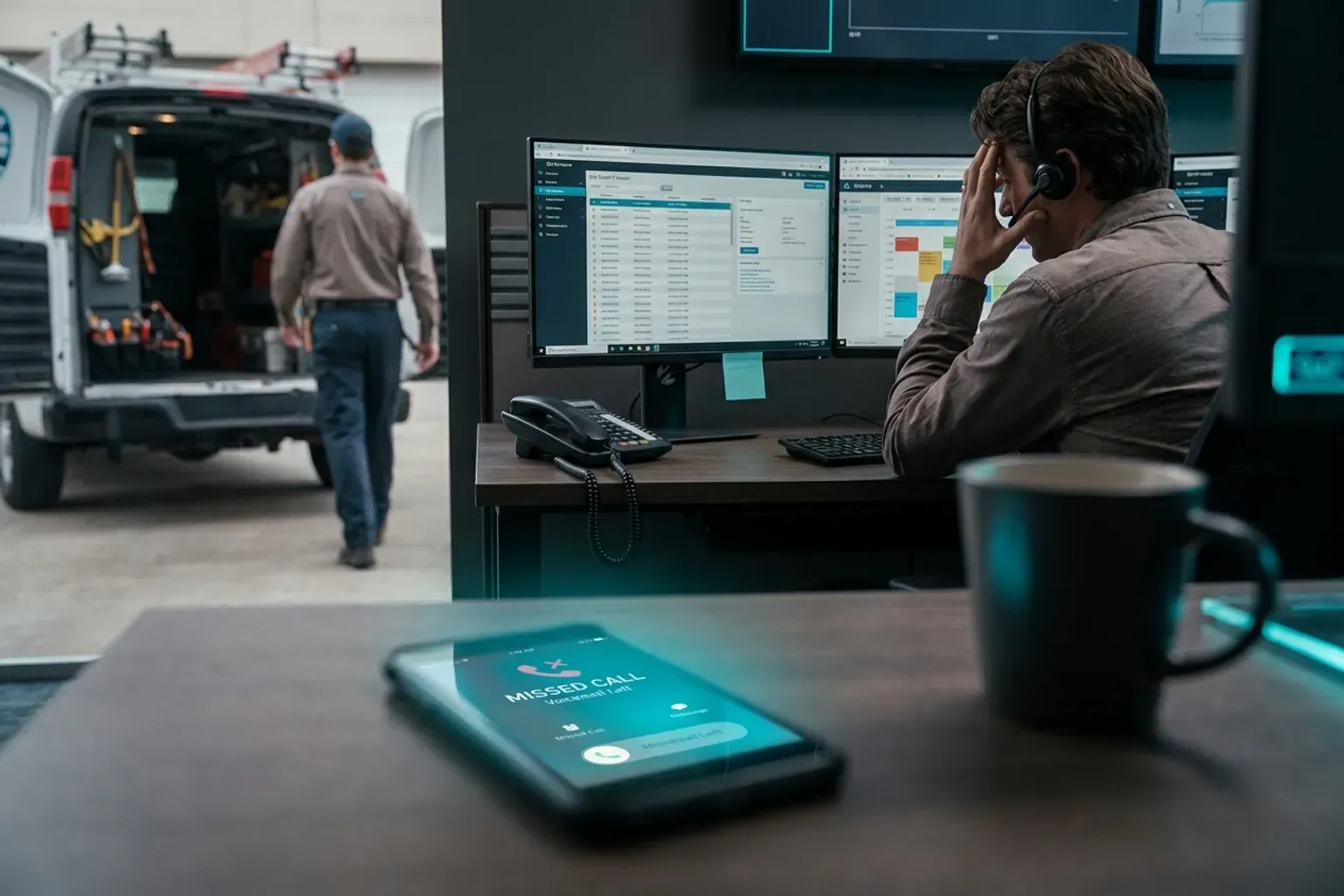
An HVAC company losing leads to competitors rarely has a marketing problem. It has a speed and follow-up problem. Homeowners call, get voicemail, and immediately tap the next Google result. Every unanswered ring is revenue handed to a rival. Below are the five mistakes driving that loss—and the operational fixes that stop the bleeding.
Key takeaways
- Most lost HVAC leads leave because of slow or absent response, not because of price.
- After-hours calls represent a massive share of inbound volume, yet most shops let them roll to voicemail.
- A single missed call during a heat emergency can cost a full-system install worth thousands.
- Multi-channel follow-up (voice, SMS, email) recovers leads that a single callback attempt never will.
- Automating qualification and booking inside the first 60 seconds eliminates the gap competitors exploit.
Why is your HVAC company losing leads to competitors right now?
The home-services market is saturated. According to Workyard.com (HVAC Industry Facts and Statistics), the New York-Newark-Jersey City area alone employs 22,780 HVAC workers, with Dallas-Fort Worth at 10,060 and Miami-Fort Lauderdale at 9,540. In metro areas this dense, homeowners have dozens of options one tap away.
When a compressor dies at 6 PM on a Friday, the homeowner does not leave one voicemail and wait patiently. They call two or three companies and book whoever answers first. That behavioral reality means an HVAC company losing leads to competitors is usually losing them in the first sixty seconds—not because the technicians are worse, but because the phone went unanswered.
As reported by Balance Marketing Group (Why Home Service Companies Are Losing Leads), HVAC, plumbing, roofing, and landscaping companies face fierce local competition for leads, and the businesses that respond fastest win the job.
Let's walk through the five mistakes one by one.
Mistake 1: Letting calls ring to voicemail after hours
The scope of the problem
Most HVAC shops operate 7 AM to 5 PM. Emergencies do not follow that schedule. Furnace failures peak on the coldest nights. AC breakdowns spike on weekend afternoons. If your phone rolls to a generic voicemail greeting at 5:01 PM, you are telling the homeowner to call someone else.
In practice, the first sixty seconds of an inbound call decide whether it books. A homeowner whose house is 90 degrees inside is not going to wait until Monday for a callback. They will scroll to the next result, and that competitor answers.
What the fix looks like
You need a system that answers every inbound call 24/7/365 with a live, intelligent conversation—not a phone tree, not a recorded message. Novacall AI responds to inbound leads in under 60 seconds, qualifies the caller on budget, timeline, and job type, and books the appointment on your connected calendar while the homeowner is still on the line.
This is not a simple answering service that takes a message. It is an AI-powered voice agent that handles the conversation the way a trained dispatcher would—except it never calls in sick, never takes a lunch break, and never lets a call ring out.
| After-Hours Scenario | Without AI Answer | With Novacall AI |
|---|---|---|
| AC dies Friday 8 PM | Voicemail; homeowner calls competitor | Call answered, qualified, booked for Saturday AM |
| Furnace leak Sunday 6 AM | Missed call; lead gone by 7 AM | Call answered, emergency flagged, tech dispatched |
| Water heater Monday 11 PM | Voicemail; homeowner finds 24/7 competitor | Call answered, appointment set for first slot Tuesday |
The difference between these two columns is the difference between an HVAC company losing leads to competitors and one that captures every opportunity.
Mistake 2: Slow first-response time during business hours
Why speed matters more than you think
Even during office hours, most HVAC companies are slow. The dispatcher is on another line. The office manager is processing invoices. The phone rings four times and goes to hold music. By ring six, the caller hangs up.
Data from Velocify's speed-to-call benchmark study (Leads360 2012 research) showed that contacting a lead within one minute increased conversion by 391% compared to waiting even two minutes. That study is from 2012, and caller patience has only decreased since then—smartphones trained people to expect instant answers.
The compounding cost
Assume a hypothetical HVAC company gets 40 inbound calls per day and misses or delays response on 25% of them. That is 10 lost conversations daily. If even three of those would have converted to a $500 service call, that is $1,500 per day—or roughly $45,000 per month in illustrative lost revenue. The numbers scale fast.
How to eliminate the delay
Novacall AI handles unlimited inbound calls simultaneously (up to the concurrent-call limit of your plan). On the Starter plan, 2 concurrent calls cover about 20 calls per day. On the Growth plan, 3 concurrent calls handle about 60 calls per day. The system picks up instantly, every time, with identical call quality on every interaction.
If you need additional concurrent capacity, extra concurrent calls cost $25/month per slot (or $15/month on the Enterprise plan). That is a fraction of what a single lost install job costs.
Mistake 3: No structured lead qualification
The symptom
Your dispatcher answers the phone, scribbles a name and address on a sticky note, and hands it to a tech. Nobody asked about budget. Nobody asked about system age. Nobody confirmed whether the homeowner owns or rents.
An HVAC company losing leads to competitors often loses them not at the phone-answer stage but at the qualification stage. Unqualified leads clog the schedule, delay response to high-value calls, and burn technician hours on dead ends.
What proper qualification captures
Novacall AI qualifies callers on the call itself, covering:
- Budget range
- Timeline (emergency vs. planned replacement)
- Property or job type (residential, commercial, new construction)
- Pre-approval status (for financed installs)
This information flows directly into your CRM through the platform's built-in CRM integration. Your dispatcher sees a qualified, scored lead with context—not a sticky note.
Why this stops lead leakage
When every caller is qualified in real time, your team prioritizes correctly. The $150 filter change gets scheduled for next week. Nobody falls through the cracks, and high-value leads never wait behind low-priority calls.
On a typical call, the homeowner describes the problem before they give an address. A human receptionist often interrupts to get the address first—because that is what the dispatch software needs. An AI agent captures the problem description, empathizes, and then smoothly collects the address. That conversational flow keeps the caller engaged instead of frustrated.
Mistake 4: Single-channel follow-up (or no follow-up at all)
The one-and-done trap
Most HVAC companies attempt one callback. If the homeowner does not pick up, the lead is dead. No text. No email. No second attempt. The homeowner, meanwhile, is at work and cannot answer the phone—but would have responded to a text in seconds.
According to FIELDBOSS (HVAC Customer Preferences Survey), 69% of homeowners hire an HVAC company they used before or that was recommended by friends and family.
Multi-channel follow-up in practice
Novacall AI includes multi-channel follow-up on every plan: voice, SMS, email, and WhatsApp workflows. Here is what a proper follow-up sequence looks like:
| Touchpoint | Timing | Channel | Purpose |
|---|---|---|---|
| Initial answer | Instant | Voice | Qualify, book, or capture info |
Every plan includes SMS, email, and voice capacity. The Starter plan includes 200 SMS and 500 emails per month. The Growth plan includes 750 SMS and 2,000 emails. The Pro plan includes 2,000 SMS and 5,000 emails. The Enterprise plan includes 5,000 SMS and 12,000 emails.
This multi-channel approach is what separates companies that capture leads from an HVAC company losing leads to competitors through single-channel neglect.
Mistake 5: No automatic appointment booking
The friction that kills conversion
A homeowner calls. Your team answers. They say, "Let me check the schedule and call you back." That callback never happens—or it happens two hours later when the homeowner has already booked with a competitor.
Every moment between "I need help" and "You're booked for Tuesday at 10" is friction. Friction kills conversion. The companies winning local HVAC leads in 2026 are the ones that book the appointment during the first conversation.
How instant booking works
Novacall AI connects to your existing calendar system. When the AI agent qualifies a caller and confirms they need service, it checks technician availability in real time and offers open slots. The homeowner picks a time. The appointment is confirmed on the call. A confirmation SMS goes out immediately.
No hold music. No "someone will call you back." No sticky notes. No lead leakage.
Calendar booking is included on every Novacall AI plan—from Starter at $499/month through Enterprise at $4,999/month.
How much does an HVAC company losing leads to competitors actually lose?
The math behind missed calls
Let's put real structure around the cost. A fully loaded human inside sales agent costs $50,000 to $80,000 per year (based on BLS and Glassdoor salary data), works 8 hours a day, 5 days a week, and handles 30 to 50 calls per day. They take 2 to 4 weeks to ramp up before they are effective.
Now compare that to the Novacall AI platform:
| Metric | Human ISA | Novacall AI (Growth Plan) |
|---|---|---|
| Hours of coverage | 8 hours, 5 days | 24/7/365 |
| Annual cost (Year 2) | $50,000-$80,000 | About $14,700 |
| Consistency | Varies by mood, training | Identical call quality every time |
| Languages | 1-2 typically | 15+ supported |
That is money that can go toward trucks, tools, training, or marketing.
For a solo operator handling about 20 calls per day, the Starter plan runs about $7,800 in Year 2—versus $50,000-$80,000 for a human equivalent.
The real cost is not the platform—it is the leads you are losing
The platform cost is predictable. The cost of lost leads is invisible until you measure it. Every HVAC company losing leads to competitors is bleeding revenue it never sees on a P&L statement because the lead never entered the system in the first place.
What does a complete fix look like?
Choosing the right plan size
Novacall AI plans are sized by daily call volume—the only sizing basis that matters:
| Plan | Daily Call Volume | Monthly Cost | One-Time Setup | Included Voice Minutes | Concurrent Calls |
|---|---|---|---|---|---|
| Starter | ~20 calls/day | $499/month | $1,000 | 500 | 2 |
| Growth | ~60 calls/day | $999/month | $2,000 | 2,000 | 3 |
| Pro | ~160 calls/day | $1,999/month | $3,000 | 5,000 | 5 |
| Enterprise | ~450 calls/day | $4,999/month | $5,000 | 12,000 | 8 |
Most Growth plan users stay within their included allocation. If you exceed it, overage rates are transparent: $0.45 per voice minute, $0.025 per SMS, and $0.003 per email on the Growth plan.
Outbound number rotation
Outbound numbers rotate at 50 calls per number per day on a round-robin to protect caller reputation. That is why Pro typically adds 1 extra outbound number ($5/month) and Enterprise typically adds 4 extra outbound numbers ($20/month total). This rotation ensures your outbound follow-up calls actually connect instead of getting flagged as spam.
All-in cost reality
Here is what each plan actually costs when you include typical overage:
| Plan | Base + Typical Overage | Year 1 All-In | Year 2 Onward |
|---|---|---|---|
| Starter | ~$649/month | ~$8,800 | ~$7,800 |
| Growth | ~$1,224/month | ~$16,700 | ~$14,700 |
| Pro | ~$2,354/month | ~$31,200 | ~$28,200 |
| Enterprise | ~$5,499/month | ~$71,000 | ~$66,000 |
Year 2 onward is lower because the one-time setup fee is not repeated. These are predictable, budgetable costs—unlike the hidden cost of an HVAC company losing leads to competitors month after month.
What about the limitations?
An honest caveat
AI voice agents are not perfect for every scenario. Complex technical troubleshooting—where a homeowner needs step-by-step guidance to reset a control board or diagnose a refrigerant leak—still benefits from a human technician on the line. The AI excels at qualification, booking, and follow-up. It does not replace your senior tech's diagnostic expertise on a complicated callback.
The right architecture is AI handling the front door (answering, qualifying, booking, following up) while your human team handles the technical depth. This division of labor is where the ROI lives.
In our experience, teams underestimate how many callers abandon a phone menu. The callers who need technical troubleshooting are a small fraction of total inbound volume. The majority want to describe a problem and get an appointment—exactly what an AI agent handles well.
How does your HVAC company stop losing leads to competitors today?
Step 1: Audit your missed-call rate
Count every call that went to voicemail, rang out, or was abandoned on hold. That number multiplied by your average ticket value is your monthly lead-loss estimate.
Step 2: Map your after-hours volume
What percentage of your calls arrive between 5 PM and 8 AM? On weekends? During lunch? These are the windows where an HVAC company losing leads to competitors bleeds the most—because the homeowner is in crisis and your phone is unmanned.
Step 3: Implement instant response
Novacall AI provides same-day setup with no ramp period. You do not wait 2 to 4 weeks for a new hire to learn your systems. The AI agent is trained on your services, your service area, and your calendar on day one.
Step 4: Activate multi-channel follow-up
Connect your CRM. Set up SMS confirmation workflows. Enable email nurture sequences for leads that do not book immediately. Every plan includes CRM integration and calendar booking out of the box.
Step 5: Measure and iterate
Track your booking rate, your response time, and your lead-to-appointment conversion. The data lives in your CRM. You will see the improvement in the first week.
Ready to stop losing leads? Book a call and see how Novacall AI handles your specific call volume.
The competitive landscape is not getting easier
According to ACCA (HVAC Industry Growth), new energy efficiency standards are fueling the growth of HVAC services, which means more contractors entering the market every year. More competition means faster response wins.
Per Successnearme.com (Competition Research for HVAC), most HVAC companies skip competition research before spending on ads—which means they pour money into generating leads they then fail to answer.
The companies that win in this environment are not necessarily the ones with the biggest ad budget. They are the ones that answer every call, qualify every lead, and book every appointment—automatically, instantly, around the clock.
An HVAC company losing leads to competitors can reverse that trend in a single day with the right system in place. The technology exists. The pricing is transparent. The only question is whether you act before your competitors do.
Frequently asked questions about HVAC lead loss
How many leads does a typical HVAC company lose per month?
It varies by call volume, but assume a hypothetical shop receiving 40 calls per day that misses 25% of them—that is 10 missed opportunities daily, or roughly 300 per month. Even if only a third would have converted, that is 100 lost jobs.
Can an AI agent really handle HVAC-specific conversations?
Novacall AI qualifies callers on budget, timeline, property type, and job type. It handles the intake conversation—describing symptoms, confirming the address, checking availability, and booking the slot. It does not diagnose refrigerant issues, but it captures every detail your tech needs before arriving on site.
What happens if the AI cannot handle a question?
The system is designed to qualify and book. For questions outside its scope, it captures the caller's information and flags the call for human follow-up. No lead is lost—the worst case is a warm handoff instead of an instant booking.
Is this just a fancy answering service?
No. An answering service takes a message. Novacall AI qualifies the caller, checks your calendar in real time, books the appointment, sends a confirmation SMS, and logs everything in your CRM. The lead is handled, not just recorded.
How quickly can I get started?
Novacall AI offers same-day setup with no ramp period. Unlike a human hire that takes 2 to 4 weeks to train, the AI agent is operational on day one.
The bottom line: every day you wait is another day of being an HVAC company losing leads to competitors who answer faster. The fix is straightforward, the cost is predictable, and the ROI shows up in your first week of booked appointments.
What to look for in an HVAC lead response platform
The right platform should eliminate manual triage without adding complexity to your existing workflow. Look for systems that integrate directly with your CRM or job management software—not ones that require double-entry or separate logins for dispatchers.
Prioritize platforms that handle inbound calls, web forms, and SMS inquiries through a single interface. Your team should see every lead in one queue, regardless of how it arrived. If the platform requires separate dashboards for phone versus digital leads, you will reintroduce the same delays you are trying to eliminate.
Check whether the system can route leads based on service type, location, or urgency without manual intervention. A furnace failure in January should reach a technician faster than a spring maintenance inquiry. Platforms that treat all leads identically create bottlenecks during peak seasons.
Verify that the platform captures caller intent during the first interaction. If someone calls about a broken AC unit, the system should log the equipment type, symptoms, and property details before routing the lead. Platforms that only capture name and phone number force your team to make redundant calls.
Test the platform's after-hours behavior before committing. Some systems send voicemails to email. Others route calls to an answering service. The best platforms qualify leads and book appointments automatically, even at 11 PM on a Saturday.
When to use AI call handling versus live answering services
AI call handling works best for high-volume periods when your team cannot answer every call in real time. If you receive more than 20 calls per day or experience spikes during weather events, AI can triage inquiries instantly while your technicians stay in the field.
Live answering services make sense when your brand emphasizes high-touch customer relationships or when your service offerings require complex consultation before booking. If most of your revenue comes from commercial contracts or custom HVAC installations, a trained human may better represent your expertise.
Hybrid approaches often deliver the strongest results. Use AI to handle after-hours calls, routine appointment requests, and initial qualification. Route complex inquiries or high-value commercial leads to live agents during business hours. This combination prevents missed opportunities without inflating labor costs.
Avoid live answering services that use generic scripts or lack HVAC-specific training. If the service cannot distinguish between a refrigerant leak and a thermostat issue, callers will sense the disconnect and question your professionalism. Poorly trained agents create more problems than unanswered calls.
AI systems improve with volume. If your call patterns are inconsistent—fewer than 10 calls per day with long gaps between inquiries—you may not generate enough data for the system to optimize routing and responses. In low-volume scenarios, a dedicated dispatcher or office manager may provide better consistency.
How to audit your current lead response process
Start by tracking every inbound lead for one full week. Record the source (phone, web form, SMS), the time it arrived, and how long it took your team to respond. Do not rely on memory or assumptions—use call logs, form timestamps, and CRM records.
Identify the gap between lead arrival and first contact. If the average delay exceeds 15 minutes during business hours, you are losing opportunities to faster competitors. If after-hours leads wait until the next morning for a response, you are forfeiting emergency service revenue.
Review your voicemail transcripts and missed call logs. Count how many callers left no message or hung up before reaching a person. These represent leads that never entered your pipeline. If more than 20% of calls go unanswered, your current capacity cannot match demand.
Examine your follow-up cadence for leads that did not book immediately. Track how many times you attempt contact, which channels you use, and how long you persist. If you make one phone call and stop, you are discarding leads that would convert with additional outreach.
Test your own system as a mystery shopper. Call your business after hours, submit a web form during a busy afternoon, and send an SMS inquiry on a weekend. Measure how long it takes to receive a response and whether the interaction feels professional. If your own experience frustrates you, your prospects feel the same way.
Calculate your lead-to-appointment conversion rate by source. If phone leads convert at 40% but web form leads convert at 15%, your follow-up process for digital inquiries likely needs improvement. Disparities this large indicate that some lead types receive better or faster attention than others.
Common implementation pitfalls and how to avoid them
Many HVAC companies activate a new lead response platform but fail to update their team's workflow. Dispatchers continue answering calls manually while the automated system sits unused. Before launch, document exactly which lead types the platform will handle and which still require human intervention.
Inadequate integration causes duplicate records and missed handoffs. If your lead response platform does not sync with your scheduling software, technicians may arrive at appointments that were never confirmed or miss jobs that were booked outside the primary system. Verify that all platforms share data in real time before processing live leads.
Some teams set overly aggressive routing rules that create confusion. If every call triggers notifications to three dispatchers, two office staff, and the owner, no one takes clear ownership. Assign primary responsibility for each lead type and use escalation only when the primary contact cannot respond within a defined window.
Failing to train your team on the new system undermines adoption. Technicians who do not understand how leads are qualified may dismiss appointments as low-priority. Office staff who do not trust the platform's accuracy will revert to manual processes. Schedule hands-on training sessions and provide reference guides that show exactly how each role interacts with the platform.
Neglecting to monitor performance after launch allows problems to compound. If the system misroutes commercial leads to residential technicians or books appointments without capturing critical details, you will not discover the issue until customers complain. Review platform reports weekly for the first month, then monthly once workflows stabilize.
How to measure ROI on lead response improvements
Track your lead-to-appointment conversion rate before and after implementing changes. If you previously converted 30% of inbound leads and now convert 45%, calculate the revenue impact by multiplying the additional appointments by your average job value. This metric directly reflects whether faster response and better follow-up are capturing more business.
Measure your cost per acquired customer across all lead sources. Divide your total marketing and lead management expenses by the number of new customers gained each month. If the cost decreases after improving response speed, you are extracting more value from the same advertising budget.
Monitor your after-hours lead capture rate. Count how many calls, web forms, and SMS inquiries arrive outside business hours each week. Compare how many of those leads convert into booked appointments. If after-hours conversion matches or exceeds daytime performance, your 24/7 response capability is generating incremental revenue that was previously lost.
Calculate the time your team spends on manual lead tasks. If dispatchers previously spent 10 hours per week returning missed calls and qualifying leads, and automation reduces that to 2 hours, you have freed 8 hours for higher-value work like customer service or technician coordination. Multiply those hours by your labor cost to quantify operational savings.
Track your average speed-to-contact for all lead types. If you reduce first-response time from 45 minutes to 5 minutes, measure whether this improvement correlates with higher conversion rates. Faster response should yield measurable gains—if it does not, other factors in your sales process may need attention.
When to scale your lead response capacity
Increase capacity when your current system cannot respond to all leads within your target timeframe. If you aim for 5-minute response during business hours but regularly exceed 15 minutes, you need additional automation or staff.
Seasonal demand spikes require temporary capacity adjustments. If your call volume doubles during summer cooling season or winter heating emergencies, activate overflow handling before the surge begins. Waiting until you are overwhelmed guarantees lost revenue.
Geographic expansion changes lead volume unpredictably. If you enter a new service area or launch advertising in additional ZIP codes, provision extra response capacity before leads arrive. Scaling after the fact means early prospects receive slow service and form negative first impressions.
Watch your lead abandonment rate as an early warning signal. If the percentage of unanswered calls or ignored web forms begins climbing, you are approaching a capacity threshold. Address the issue before abandonment becomes routine.