Missed Calls: AI Response for Locksmiths in 2026
 by Parvez Zoha
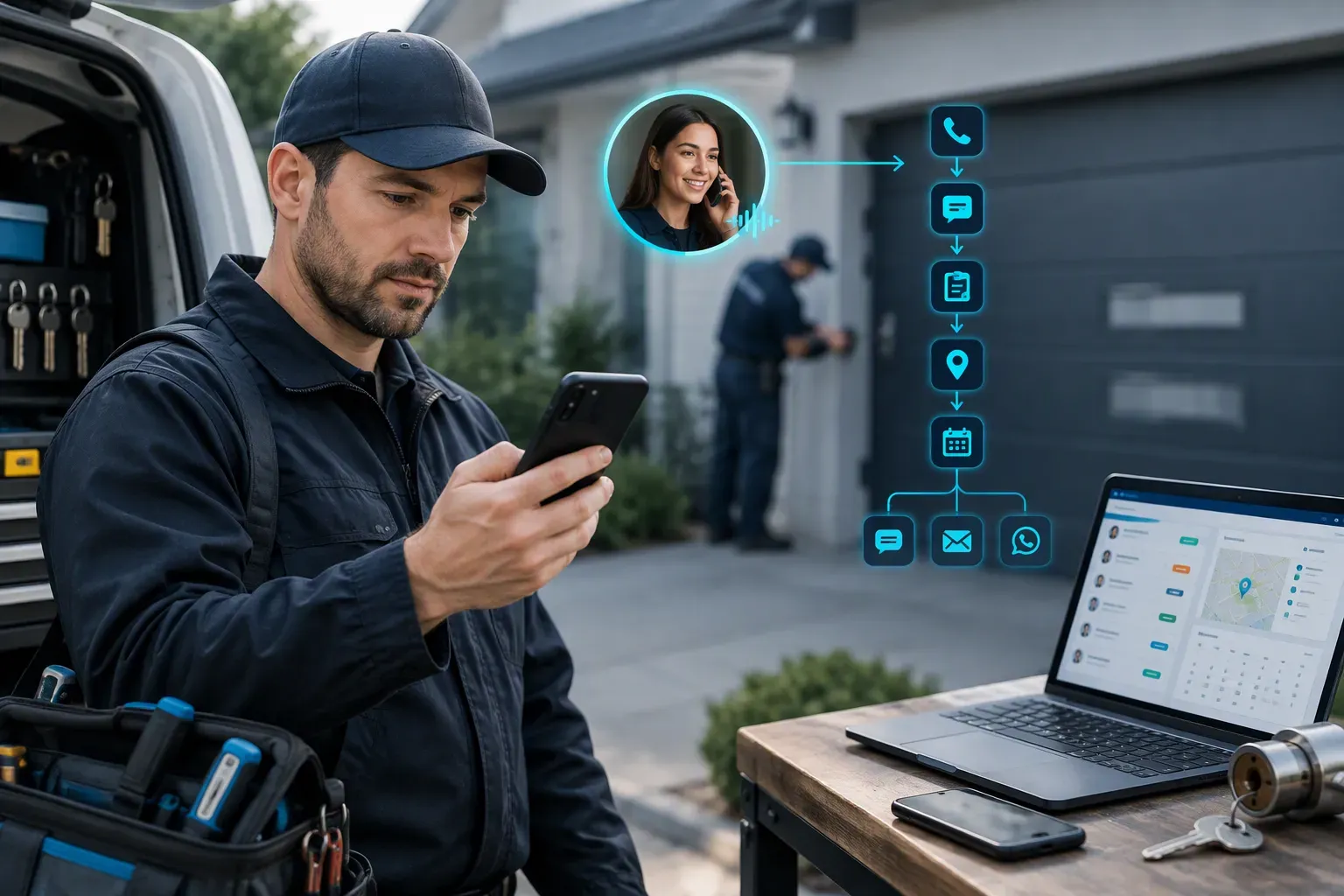
AI missed-call response for locksmith and garage-door companies captures revenue by answering the caller quickly, collecting the problem, urgency, property, and address, then routing urgent lockouts or booking repair and installation work. The strongest setup also follows up by text, email, or WhatsApp, so a missed call becomes a qualified next step instead of a dead end.
Key takeaways
- Treat every missed call as an active sales opportunity, not a finished lead.
- Ask about the problem, urgency, property or job type, and service address before routing the request.
- Separate urgent lockouts from repair and installation inquiries so each caller gets the right next step.
- Connect the workflow to the calendar and CRM so booked work does not disappear from the office process.
- Measure conversations, qualified requests, booked appointments, and completed jobs from your own records.
Why missed calls hurt locksmith and garage-door revenue
Locksmith and garage-door work has a short decision window. Someone locked out of a home, office, or vehicle wants a clear response. A homeowner with a broken opener wants to know whether the company serves the property and when a technician can help. A customer planning a new garage-door installation wants a simple path to a quote or site visit.
When the call reaches voicemail, the company loses control of that decision window. The caller still has a problem, but the business is no longer guiding the next step. The caller searches again, calls another provider, or stops trying altogether.
These outside figures are directional evidence, not a forecast for your company. Your own call log is the best place to understand the missed-call problem. Review missed calls by service type, time of day, source, and urgency. A lockout call carries a different operational need from an installation inquiry, even when both arrive through the same phone number.
In practice, the caller states the problem before the address. A useful response follows that natural order instead of forcing the caller through a long form or a rigid phone menu.
Finding: A missed call is a sales event that still needs an owner, a status, and a next action.
Start with the simplest question: what should happen after a caller does not reach a person? If the answer is only leave a message, the process ends at the point where the customer needs help most. A response workflow keeps the conversation moving, captures useful context, and gives the office a clean handoff.
What AI missed-call response for locksmith and garage-door companies must do
For an owner, AI missed-call response for locksmith and garage-door companies should do more than play a greeting. It should respond to the lead in under 60 seconds, understand the request, and move the caller toward a defined outcome.
Novacall AI provides inbound lead response in under 60 seconds. It operates around the clock and supports voice, SMS, email, and WhatsApp workflows. That combination gives a caller more than one path to continue the conversation after an unanswered call.
Answer and acknowledge the request
The first response should sound helpful and direct. It should acknowledge the missed connection, state that the company is ready to help, and ask one useful question. The goal is not to deliver a long company introduction. The goal is to reduce uncertainty and establish the service need.
For a lockout, the response should focus on urgency and routing. For a repair, it should identify the failed equipment or access problem. For an installation, it should gather the project type and move toward a consultation or appointment.
Novacall AI uses voice and follow-up channels to keep that conversation active. Consistent call quality on every call also gives the business a repeatable first interaction instead of a different experience for every caller.
Qualify without interrogating
Qualification should feel like a conversation. Novacall AI qualifies callers on the call by covering budget, timeline, property or job type, and pre-approval status. For locksmith and garage-door companies, the most useful early details are the problem, urgency, property, and address.
Do not ask every possible question before deciding what to do. Ask the question that changes the route. A lockout needs a different path from a broken spring. A garage-door installation needs a different path from a caller who cannot close the door. A service address is useful for dispatch, but it should not come before the caller explains the problem.
Route or book the next step
The workflow needs a clear finish. That finish is an urgent handoff, a booked appointment, a request for more information, or a human review. Automatic appointment booking on the connected calendar turns a conversation into scheduled work. CRM integration keeps the details attached to the lead record.
Novacall AI plans are tiered by daily call volume. Every plan includes multi-channel follow-up, CRM integration, and calendar booking. Higher tiers include more voice minutes, more concurrent calls, and more AI agents. Pricing is quote-only, so the useful buying conversation is a short call about your workflow, call demand, channels, and routing needs.
Finding: Fast response creates value only when it leads to a clear next step.
How the workflow works after a missed call
A reliable AI missed-call response for locksmith and garage-door companies follows a simple sequence. The sequence should be visible to the owner and easy for the office team to audit. When a caller enters the configured workflow, every message should support the same goal: understand the request and move it to the correct place.
- Acknowledge the contact: Tell the caller that the business received the inquiry and is ready to help. Keep the first message focused on the service need.
- Identify the job: Ask whether the caller needs a lockout, repair, maintenance, replacement, or installation. Use the terms your team uses in the CRM and dispatch process.
- Check urgency: Ask whether the caller is unable to enter, unable to secure the property, or dealing with a less urgent repair or project inquiry. The answer determines the route.
- Collect the service details: Capture the property or job type, address, callback details, and any information the technician or estimator needs before the next conversation.
- Choose the next action: Route an urgent request, book an available calendar slot, or send the lead to a team member for review. Avoid ending with an open-ended promise to call later.
- Continue the follow-up: Use SMS, email, or WhatsApp when the caller does not complete the first step. The message should refer to the request and provide one simple action.
On a typical call, the caller describes the symptom before giving a precise job category. A good workflow listens for phrases such as cannot open, door will not close, broken spring, new door, or locked out, then asks a clarifying question rather than guessing.
The CRM record should preserve the conversation summary, the caller's answers, and the chosen next step. That record helps an office employee pick up the interaction without making the customer repeat the whole story.
Finding: A missed-call workflow is complete only when the lead has a route, a booking, or a named human owner.
What should an AI missed-call response collect?
The right questions depend on the service request. A lockout caller needs a fast route. A repair caller needs enough context to set the right appointment. An installation caller needs a project conversation rather than an emergency dispatch flow.
Qualification should collect useful information without creating friction. Start with the caller's words, then confirm the details that affect scheduling, routing, or follow-up. Use plain language. Do not ask for technical terms that customers do not know.
Start with the problem
Ask what happened and what the caller needs now. A caller who says the garage door is making a grinding sound needs a different follow-up from a caller who says the door is stuck open. A lockout caller needs a direct urgency check. An installation caller needs a project type and a planning conversation.
Confirm urgency and access
Urgency is not the same as emotion. The caller might sound calm while the property remains unsecured. Ask whether the caller cannot enter, cannot leave, cannot secure the property, or has a project that can be scheduled through the normal calendar.
Capture property and address details
Property type helps the business understand the setting. A home, commercial building, rental property, gate, or other access point can change the next question. The service address helps the team verify coverage and prepare the next step.
Keep business qualification relevant
Budget, timeline, and pre-approval status belong in the qualification framework, but they do not carry equal weight on every locksmith or garage-door call. Use them when they help route an estimate, installation, or planned project. Do not place a budget question ahead of a caller who needs immediate access help.
| Caller detail | Operational use |
|---|---|
| Problem type | Separates lockouts, repairs, and installation inquiries |
| Urgency | Sends time-sensitive requests to the right route |
| Property or job type | Gives the team context for service and scheduling |
| Service address | Supports coverage checks and the next handoff |
| Budget or timeline | Helps frame planned work and estimates |
| Pre-approval status | Records a relevant qualification detail for the team |
The response should repeat the key details before it closes. A simple confirmation prevents errors: the system states the service type, address, and next action, then gives the caller a chance to correct anything.
Finding: The best qualification question is the one that changes the route or improves the handoff.
How to handle urgent lockouts and recover repair calls
The right AI missed-call response for locksmith and garage-door companies treats urgency as a workflow field, not a tone preference. A caller who cannot enter a property needs a different action from a homeowner planning an installation. The system should recognize that difference and apply a rule the office has approved.
Build a narrow lockout path
The lockout path should confirm the access problem, property context, service address, and callback details. It should then route the urgent request according to the company's coverage and dispatch rules. If a human needs to confirm the request, the handoff should include the details already collected.
Do not promise a technician, arrival, price, or service outcome before the business confirms it. Do not present a calendar appointment as immediate help when the field team still needs to review the request. Clear language protects trust and gives staff room to make the right operational decision.
A voice workflow fits callers who want to speak. SMS, email, and WhatsApp follow-up fit callers who prefer to type or who missed the first response. The message should offer the next action without sending the caller through a separate maze.
Give repair calls a useful path
Repair callers often need a short diagnostic conversation before booking. Ask what the equipment is doing, whether it opens or closes, and whether the property is secure. Avoid presenting a technical diagnosis as a confirmed fact. Capture the symptom and let the technician or office team make the service decision.
The booking flow should use the connected calendar and the company's real availability. The CRM should store the request so a staff member sees why the appointment exists. A follow-up message should confirm the appointment details and provide a clear way to correct the information.
Keep installation calls moving
Installation inquiries need a project path. Capture the job type, property details, address, timeline, and budget context when relevant. Then book the right consultation or route the lead to the estimator. A generic voicemail does not capture enough information for that handoff.
Finding: Urgency rules should be explicit enough for automation and specific enough for a human to trust.
How to evaluate AI missed-call response for locksmith and garage-door companies
When you compare AI missed-call response for locksmith and garage-door companies, compare workflow coverage before comparing vendor language. Ask what happens from the unanswered call through the final CRM status. A polished voice is useful, but it does not replace routing, booking, qualification, or follow-up.
Use this checklist during a product review:
- Response speed: Novacall AI responds to inbound leads in under 60 seconds. Ask how the workflow starts, what happens when the caller does not answer, and where the conversation is recorded.
- Channel coverage: Confirm support for voice, SMS, email, and WhatsApp. Different callers prefer different channels, and a follow-up process should not depend on one inbox.
- Qualification depth: Check that the system captures the problem, urgency, property or job type, address, and the business details that matter to your team. Ask how the questions change for lockouts, repairs, and installations.
- Calendar behavior: Verify that appointment booking uses the connected calendar. Ask how the system handles unavailable slots, service areas, appointment types, and requests that need human review.
- CRM handoff: A good integration creates a useful record, not just a notification. Confirm that the transcript or summary, caller details, qualification answers, and next action reach the right lead record.
- Call consistency: Novacall AI provides identical call quality on every call. Ask how the system keeps the conversation consistent when demand rises and how the team reviews an unusual interaction.
- Language support: Novacall AI supports multiple languages. Match that capability to the languages your callers use, then review how qualification fields and handoffs remain clear for the office team.
- Compliance controls: Novacall AI is SOC-compliant and GDPR-compliant. Ask how your business configures consent, data access, retention, and staff permissions for each follow-up channel.
- Setup and ownership: The workflow should avoid a ramp period. Confirm who supplies business rules, calendar access, CRM fields, approved language, escalation rules, and ongoing changes.
- Commercial fit: Novacall AI pricing is quote-only. Plans are tiered by daily call volume, with every plan including multi-channel follow-up, CRM integration, and calendar booking. Higher tiers include more voice minutes, more concurrent calls, and more AI agents. Ask for a quote based on your actual workflow rather than judging a plan by a headline price.
A strong review uses real call scenarios. Describe a lockout, a broken opener, a commercial repair, and a new installation inquiry. Ask the vendor to show the question path, the escalation, the booking result, and the CRM record for each scenario.
Finding: The right comparison focuses on what happens after the call, not only on how the first sentence sounds.
How to measure recovered demand without fake ROI
Measurement turns AI missed-call response for locksmith and garage-door companies into an operating process instead of a vague promise. The goal is not to publish a large savings claim. The goal is to connect each interaction to a business outcome that your own team can verify.
Start with the call log. Mark whether the call was answered, whether a conversation happened, whether the request was qualified, whether an appointment was booked, and whether the job was completed. Keep service type and source visible. This separates a lockout request from an installation lead and shows where the workflow needs improvement.
| Measurement point | Review question |
|---|---|
| Missed call | Was the call identified and placed into the response workflow? |
| Conversation | Did the caller engage through voice or a follow-up channel? |
| Qualified request | Are the problem, urgency, property or job type, and address recorded? |
| Booked appointment | Did the connected calendar receive the correct next step? |
| Human handoff | Did the right person receive an urgent or unusual request? |
| Completed job | Does the CRM or office record show the final outcome? |
Review the gaps in order. If conversations happen but qualification is incomplete, improve the questions. If qualification is strong but bookings are weak, inspect calendar rules and appointment types. If bookings exist but completed jobs are missing, inspect confirmations, dispatch handoffs, and CRM ownership.
Revenue measurement belongs in the business's own records. Assign the actual job result after the office confirms the work. Do not treat every conversation as revenue, and do not treat every booking as a completed job. This discipline keeps the ROI discussion grounded in traceable work.
A useful dashboard also shows unanswered calls by channel and service type. It helps the owner decide whether the next improvement belongs in the phone flow, the follow-up message, the calendar, or the field handoff.
Finding: The cleanest ROI conversation starts with lead status and completed-job records, not a broad promise about recovered revenue.
Common failure modes to avoid
Those checks matter because AI missed-call response for locksmith and garage-door companies fails when the workflow is treated as a generic receptionist instead of a service operation.
- A generic voicemail replacement: A message that says the team will call back does not collect the problem, urgency, property, or address. Replace it with a guided next step.
- Too many questions at once: Long forms create friction. Ask the question that determines routing, then collect the details needed for booking or handoff.
- One flow for every job: Lockouts, repairs, and installations need different paths. Separate them early so the caller receives relevant prompts.
- Unapproved promises: The system should not invent pricing, coverage, arrival expectations, or technician availability. Use approved rules and human review for decisions outside those rules.
- A calendar without service logic: Calendar booking fails when every appointment type uses the same availability. Connect the calendar to the actual service categories and escalation process.
- A CRM notification without ownership: A message in a shared inbox is not a handoff. Assign the request to a team or status that tells someone what to do next.
- No follow-up after partial completion: A caller who answers one question but stops still needs a relevant SMS, email, or WhatsApp message. The follow-up should resume the same request instead of starting over.
- No review of unusual calls: Speech recognition and automated qualification lose context when a caller is distressed, uses an unusual term, describes several problems, or gives an unclear address. Send those interactions to a person.
In practice, the safest automation handles repeatable questions and routing while the office keeps control of exceptions, service promises, and field decisions. AI voice handling is not a replacement for technician judgment or a human review of unusual requests.
That limitation applies to AI missed-call response for locksmith and garage-door companies: automation improves the first response and the handoff, but the business still owns the service decision. Build the escalation path before turning on the workflow.
Finding: Automation works best when it removes repetitive intake work and leaves judgment with the people responsible for the job.
The practical next step
AI missed-call response for locksmith and garage-door companies works when it mirrors the way your office already separates lockouts, repairs, and installations. Map the questions, urgency rules, calendar actions, CRM fields, and human handoffs before you judge the tool.
Novacall AI provides inbound response in under 60 seconds, voice and multi-channel follow-up, on-call qualification, calendar booking, CRM integration, multilingual support, and compliance controls. To map your workflow and request a quote, Book a call.
Set the boundary between automation and human judgment
The safest deployment defines what the system may do, what it must ask a person to handle, and what it must never imply. This boundary should be written before scripts are finalized.
Automation can usually acknowledge a missed call, gather a limited amount of context, and present the next available step. Human review is more appropriate when the caller disputes ownership, describes a safety concern, requests unusual access work, or needs an exception to normal pricing or service-area rules.
Create a short “stop” list for the implementation team. It might include:
- A caller cannot confirm the property or service location.
- The request involves forced entry, suspected burglary, or a dispute between occupants.
- The caller asks for a guarantee about arrival, price, damage, or insurance coverage.
- The request falls outside the company’s defined service area or equipment scope.
- The conversation contains threats, medical concerns, fire, gas, or another immediate hazard.
The system should not disguise a handoff as a completed booking. If a human must review the request, the caller should receive a clear status such as “your details have been sent for review,” rather than language that suggests a technician is already assigned.
Build a call-state matrix before writing the script
A call-state matrix prevents one generic response from being used for every missed call. Each row should identify the condition, permitted action, owner, and next record status.
Useful states include:
| Call state | Permitted automated action | Human owner | Record status |
|---|---|---|---|
| New request during operating hours | Acknowledge and offer the defined next step | Dispatcher or front desk | New |
| New request outside operating hours | Capture details and follow the after-hours policy | On-call contact, if applicable | After-hours review |
| Existing customer with an active job | Avoid creating a duplicate request | Dispatcher or assigned technician | Existing job |
| Request outside the service area | Explain the boundary without promising service | Office staff, if exceptions exist | Out of area |
| Unclear or incomplete request | Ask one focused clarification | Assigned reviewer | Needs review |
| High-risk or disputed request | Stop normal automation and escalate | Manager or designated human | Escalation |
The matrix should also define duplicate handling. A caller who rings again five minutes later should not automatically create two separate jobs. Matching can use the caller’s number, supplied address, and an existing job reference, while allowing a human to correct mistaken matches.
Keep the matrix separate from marketing copy. It is an operating document for dispatchers, managers, and whoever maintains the automation. When service areas, hours, pricing rules, or escalation contacts change, the matrix should be updated at the same time.
Make fallback behavior explicit
A missed-call workflow needs a failure path for unanswered messages, transfer failures, unclear speech, incomplete forms, and unavailable staff. “Someone will get back to you” is not a process unless the business has defined who owns that queue and how it is reviewed.
Specify the fallback for each stage:
- No response from the caller: mark the attempt without repeatedly contacting the person by default.
- Incomplete address: request only the missing location detail needed to determine serviceability.
- Failed transfer: preserve the collected information and send it to the designated queue.
- Conflicting answers: flag the record rather than selecting one answer silently.
- No available human reviewer: state the current status without inventing an arrival or callback commitment.
Use approved wording for uncertain cases. A response can be useful without being overconfident: “I have recorded the request for review” is materially different from “a technician is on the way.”
Treat authorization and sensitive information as workflow rules
Locksmith and garage-door requests can involve access to homes, vehicles, businesses, rentals, and shared properties. The workflow should collect only information needed for the next decision and should route authorization questions to a person when the answer is unclear.
For example, if a caller says they are locked out of a rental but cannot confirm their relationship to the property, the system should not try to resolve the dispute through increasingly detailed questioning. It should preserve the caller’s stated problem, identify the address, and send the case to the business’s defined review path.
The business should also decide how it handles recordings, transcripts, access instructions, alarm details, and other sensitive notes. Before enabling those functions, document who can view the information, how long it is retained, and whether callers receive any required notice. Avoid placing unnecessary entry codes or private credentials into a general-purpose conversation record.
Turn every interaction into a usable operating record
A transcript alone is not a dispatch record. The output should be structured so a person can understand the request without replaying the entire interaction.
At minimum, define fields for:
- Caller name and preferred contact method
- Call-back number and whether it was confirmed
- Service address and any location qualifier
- Stated problem in the caller’s own terms
- Urgency or access constraint
- Property or vehicle context, when relevant
- Existing customer or job reference
- Service-area decision
- Requested next step
- Escalation reason
- Time and source of the missed call
Add a disposition field that reflects what actually happened: information captured, booking requested, human review required, duplicate, out of area, or unable to qualify. This makes later review more precise than a vague label such as “lead.”
Avoid treating every captured contact as a sales opportunity. Some calls are wrong numbers, duplicate requests, vendor inquiries, or requests the company does not handle. Accurate disposition protects the office from spending time on records that were never viable jobs.
Test the edges before allowing live routing
A pilot should use scripted edge cases as well as ordinary requests. Test callers who interrupt, provide an incomplete address, change the problem halfway through, call from a noisy environment, repeat the call, or ask a question outside the approved scope.
Review each test for four things:
- Did it identify the caller’s actual need?
- Did it avoid collecting irrelevant details?
- Did it create the correct record and status?
- Did it stop or escalate when the situation required judgment?
Include negative tests. A system should be evaluated on whether it avoids making an unsupported promise, not only on whether it produces a polished response. Test stale business hours, a removed service area, an unavailable dispatcher, and a failed transfer. These conditions reveal whether operational updates reach the live workflow.
Have a dispatcher review the resulting records without seeing the original script. If the dispatcher cannot determine what happened, what remains unknown, and what action is expected, the output needs redesign.
Put change control and access rules in writing
The business owner should control changes to hours, service areas, escalation contacts, approved questions, and booking rules. A vendor or employee may implement the change, but the business should retain a clear record of what changed, who approved it, and when it became active.
Ask how the system distinguishes current instructions from outdated ones, how staff correct a wrong record, and how a failed or disputed interaction is reviewed. Also define user permissions so office staff can see the information needed for their role without giving every user unrestricted access.
These controls matter because a technically smooth response can still create operational risk when it uses old hours, routes to the wrong person, or leaves no audit trail for a disputed interaction.
Turn every recovered conversation into a usable handoff
A recovered call should produce an operational handoff, not merely a transcript. Put the record identifier, source channel, time received, disposition, assigned queue, requested next action, and uncertainty into a record. Preserve the caller’s wording only where it affects routing or review. Mark missing fields explicitly instead of filling gaps with inference. The receiving person should see what is known, what needs confirmation, and why the conversation stopped.
Make the handoff operational
Assign one next action and one owner to each record. “Review later” is not an action; “call back to confirm access instructions” is. Include the contact channel, a contact window if supplied, and why automation stopped. If a booking was not completed, label the record incomplete rather than implying a scheduled visit. Use consistent field names so dispatchers can act without translating free text.
Prevent duplicate follow-up
Duplicate outreach is a workflow defect, not a customer-service strategy. Before sending a text or creating a task, check whether another channel already produced a human response, appointment, or cancellation. Use a conversation or caller reference when available, and display the last disposition beside the new alert. If matching is uncertain, route the record for review rather than merging households or suppressing a real request.
Define the source of truth
Choose where appointment status, customer contact details, and disposition live. The automated log can preserve conversation evidence while a scheduling system remains authoritative for availability; document that division. Require edits to retain an actor and timestamp. An audit trail can explain why a callback was sent, changed, or closed. Do not let acknowledgment masquerade as a completed service outcome.
Test the operating environment, not only the script
A review set should represent operating conditions the workflow might mishandle, not just clean examples. Include silence after a prompt, a caller changing channels, a duplicate submission, unclear caller identity, an out-of-area request, a repeated caller, and someone asking for a human immediately. Add noisy audio, a long pause, a disconnected integration, and an operator editing the record. For every case, write the expected record, allowed automation, review destination, and prohibited assumption before testing.
Test stop conditions
Approve a workflow only when reviewers can identify its stop conditions. Test wrong numbers, duplicate submissions, incomplete contact details, and a caller who refuses a question. Verify the response does not claim an appointment, arrival time, price, diagnosis, or capability unless a human or connected system supplied it. Record the input, output, reviewer decision, and corrective change. Re-run failed cases after edits.
Use external benchmarks to scope a pilot
External statistics can help a team decide what to inspect, but they are not a local forecast. According to Beginbound.com Missed Call Statistics AI (direct report), 85% of callers who reach voicemail never call back. Treat that as a reason to inspect abandonment and callback recovery, not a guaranteed local rate. Compare the statement with company logs, service mix, hours, and definition of “missed.”
Challenge the denominator
According to Pyrexa.ai Sources Small-Business Missed Call (direct report), the cited Phonely 2024 study reports that 47% of small-business inbound calls go unanswered. Before using that figure in a business case, confirm the local denominator includes the same call types and excludes technical duplicates. Present it as context if definitions differ.
Examine peak-period coverage
According to Pitchit.ai Overhead Garage Door Phone (direct report), home service industry statistics report contractors lose between $75,000 and over $100,000 annually from unanswered calls, with garage door companies taking severe losses during peak hours. Use that claim to justify a peak-period test, not to assign expected revenue. Compare missed calls by hour, staffing level, service type, and disposition.
Specify a pilot boundary
Pilot design should define the service category, operating area, shift, channels included, excluded, and the person responsible for review. Keep the existing process available while staff compare records, caller outcomes, and scheduling results. Choose a fixed intake rule so the team knows which calls entered the pilot. Record exceptions separately from ordinary contacts. Pause expansion if staff cannot reconcile the automated record with the scheduling record, or if callers receive contradictory status messages. Expand only after reviewers classify the unresolved cases and update the operating rule for the next review.
Keep changes reviewable
A change log should identify the rule changed, reason, approver, date, and affected call type. Store the prior wording and new wording together so reviewers can compare behavior. Notify dispatchers before a change reaches callers. If a change alters data fields, routing, or handoff format, update the receiving team’s checklist and test one known edge case again.
Ask vendors for operational evidence
A buyer should inspect behavior beyond a demonstration. Ask to see configuration for escalation triggers, human takeover, transcript access, retention, duplicate prevention, scheduling handoff, and export. Ask what happens when an integration fails. Confirm staff can correct records without erasing original evidence. Identify an operational owner, a technical owner, and an approver for rule changes before launch, and document responsibilities in writing before testing begins.