7 Home Service Business Phone Mistakes Costing You Jobs in 2026
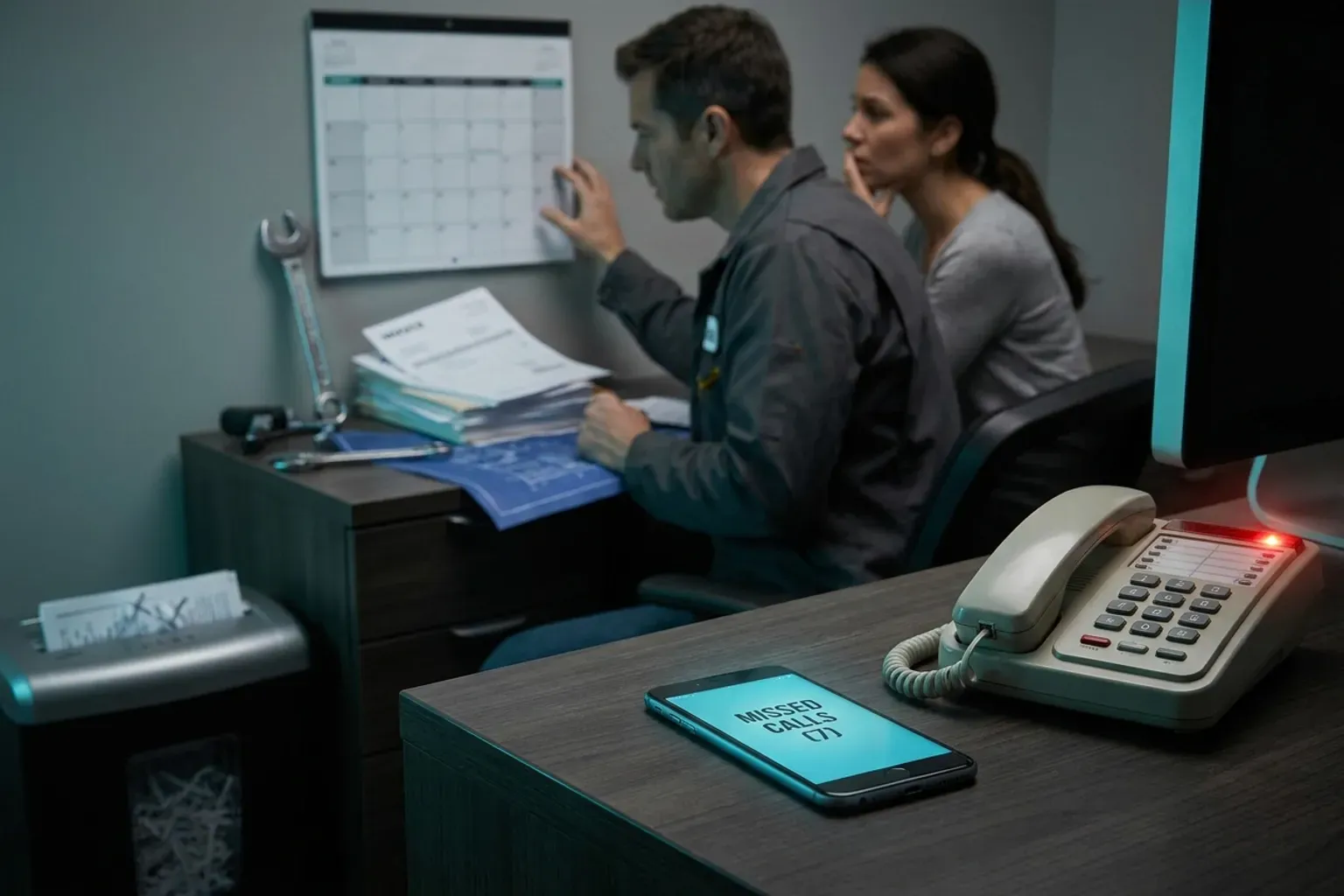 by Parvez Zoha
The most damaging home service business phone mistakes are not dramatic failures—they are quiet, daily habits that send ready-to-book callers straight to a competitor. Fixing them does not require a bigger team. It requires a system that answers every ring, qualifies every caller, and books every viable appointment without delay.
Key takeaways
- Unanswered and slow-answered calls are the single largest source of wasted marketing spend for local service businesses.
- Most home service business phone mistakes happen outside of office hours, when staff is unavailable but callers are actively searching.
- Qualification on the first call—budget, timeline, job type—separates booked jobs from dead leads.
- Multi-channel follow-up (voice, SMS, email) recovers callers who do not book on the first attempt.
- AI-powered call handling eliminates the staffing gap at a fraction of the cost of hiring additional inside sales agents.
Why do home service business phone mistakes matter more than ever?
Phone calls remain the primary conversion channel for plumbing, HVAC, roofing, electrical, and landscaping companies. A homeowner with a burst pipe at 9 PM is not filling out a web form—they are calling. If nobody picks up, they call the next company in the search results.
The financial stakes are enormous.
For a local contractor investing heavily in Google Ads and LSA listings, every missed call represents a direct waste of that budget. The caller already found you. They already decided to reach out. The only question is whether your phone system converts them or loses them.
In practice, the first sixty seconds of an inbound call decide whether it books. A caller who reaches a live voice—human or AI—within that window is dramatically more likely to schedule service than one who hears four rings and a voicemail beep.
Let us walk through the seven most expensive home service business phone mistakes and what to do about each one.
The problem
Most home service companies operate on a standard business-hours schedule: 8 AM to 5 PM, Monday through Friday. But homeowners do not schedule their emergencies around your office hours. Evenings, weekends, and holidays generate a massive share of inbound calls—particularly for plumbing, HVAC, and locksmith services.
When those calls hit voicemail, the vast majority of callers hang up and dial a competitor. They do not leave a message. They do not wait until morning.
The cost
Assume a hypothetical plumbing company receives 8 after-hours calls per day, and the average job ticket is $400. If even half of those callers move on to a competitor, that is $800 per day in lost revenue—purely from unanswered calls.
The fix
A 24/7/365 answering system—whether a live answering service or an AI voice agent—ensures no call goes unanswered regardless of the hour. Novacall AI operates around the clock, answering inbound calls in under 60 seconds, qualifying the caller, and booking appointments on the connected calendar. There is no voicemail. There is no "we'll call you back tomorrow."
That statistic applies with full force to after-hours callers who cannot reach a live voice.
The problem
Speed-to-lead is the single most studied variable in sales conversion. When a homeowner submits a form, clicks a Google Ad, or calls your number, the clock starts immediately. Every minute of delay reduces the probability of booking.
This was not a Novacall AI result—it was an industry-wide benchmark across thousands of sales interactions. The principle is simple: first responder wins.
Why home service businesses fail here
The typical workflow looks like this: a lead comes in via web form at 2 PM. The office manager is on another call. She sees the notification at 2:45 PM. She calls back at 3:10 PM. By then, the homeowner has already spoken with two other contractors and scheduled one.
This is one of the most common home service business phone mistakes because it feels like the team is working hard. They are. But the gap between "working hard" and "responding instantly" is where revenue disappears.
The fix
Novacall AI responds to inbound leads in under 60 seconds—whether the lead arrives as a phone call, a web form submission, or a chat request. The AI agent picks up immediately, qualifies the caller on budget, timeline, and job type, and books the appointment before the homeowner has time to call anyone else.
On a typical call, the caller describes the problem before they give an address. The AI agent captures the job details first, then collects scheduling information, mirroring the natural flow of conversation rather than forcing callers through a rigid script.
The problem
Many home service businesses treat every inbound call the same: take a name, take a number, promise a callback. This approach wastes technician time on unqualified leads—callers outside the service area, callers with budgets far below the minimum job size, or callers requesting services the company does not offer.
The cost
Every unqualified appointment that results in a truck roll costs fuel, technician time, and opportunity cost. A hypothetical HVAC company that sends a technician to three unqualified leads per week at $150 in loaded cost per visit loses $23,400 per year—assume 52 weeks at $450 per week—on jobs that were never going to close.
The fix
Qualification belongs on the first call, not the second. Novacall AI qualifies every caller on the initial conversation, covering budget, timeline, property or job type, and pre-approval status. Callers who do not meet the criteria receive a polite decline or referral. Callers who qualify get booked immediately.
This is not a phone menu. It is a natural-language conversation. The AI agent asks the right questions in context, adapts to the caller's responses, and makes a booking decision in real time.
The through-line across all of them: customers expect fast, competent, personalized interactions—not generic intake scripts.
The problem
A caller who does not book on the first attempt is not necessarily a lost lead. They may need to check their schedule, consult a spouse, or compare one more estimate. The mistake is following up only by phone—or worse, not following up at all.
Many home service businesses have no systematic follow-up process. The office manager makes one callback attempt, leaves a voicemail, and moves on. The lead goes cold.
Why multi-channel matters
Different people respond to different channels. Some homeowners prefer a text message. Others check email. Some will only pick up a phone call if they recognize the number. A follow-up sequence that uses voice, SMS, and email reaches callers on the channel they actually monitor.
Novacall AI includes multi-channel follow-up on every plan—voice, SMS, email, and WhatsApp workflows. When a caller does not book on the first attempt, the system automatically initiates a follow-up sequence across multiple channels, increasing the probability of re-engagement without requiring any manual effort from the business owner.
Included allowances by plan
| Plan | Voice Minutes | SMS Messages | Emails | AI Agents | Concurrent Calls |
|---|---|---|---|---|---|
| Starter | 500 | 200 | 500 | 2 | 2 |
| Growth | 2,000 | 750 | 2,000 | 3 | 3 |
| Pro | 5,000 | 2,000 | 5,000 | 5 | 5 |
| Enterprise | 12,000 | 5,000 | 12,000 | 8 | 8 |
Every plan includes CRM integration and calendar booking, so follow-up messages reference the original conversation and offer specific available time slots.
The problem
Call volume in home services is not evenly distributed. Monday mornings spike. The first hot day of summer floods HVAC lines. A regional storm generates dozens of simultaneous roofing inquiries. During these peaks, even well-staffed offices miss calls because every line is busy.
This is one of the most frustrating home service business phone mistakes because the business is clearly generating demand—it just cannot absorb it all at once.
The math of concurrent capacity
A single receptionist handles one call at a time. If your average call lasts several minutes and you receive a steady stream of calls during a peak, you need at least 2 people answering phones simultaneously just to keep up—and that assumes zero breaks, zero admin tasks, and zero hold time.
A fully loaded human inside sales agent costs $50,000 to $80,000 per year, works 8 hours a day 5 days a week, and handles 30 to 50 calls per day. Scaling human capacity for peaks means paying full-time salaries for part-time peak coverage.
The fix
Novacall AI pricing is by custom quote. Scope depends on lead and call volume, channels, integrations, and workflow. Book for a quote; current commercial terms are confirmed in a written proposal.
During a storm-driven spike, an Enterprise-tier roofing company with 8 concurrent AI agents handles 8 simultaneous inbound calls—each one qualified, each one booked—without a single caller hearing a busy signal or being placed on hold.
The caller with a leaking roof is not patient. They are anxious, and they will call the next number in their search results the moment they hear hold music.
The problem
"Press 1 for scheduling. Press 2 for billing. Press 3 for..." — by the time a homeowner navigates a phone tree, they have already lost patience. Interactive Voice Response (IVR) systems were designed for large enterprises with complex routing needs. For a 10-person plumbing company, they create friction where none should exist.
Callers want one thing: to talk to someone who can help them right now. A phone menu says, "We are too busy to answer. Navigate this maze instead."
The cost of IVR abandonment
That investment is wasted if callers abandon before reaching a human.
Home service callers are action-oriented. They have a broken furnace or a clogged drain. They do not want to listen to a menu. They want to describe the problem and get a time slot.
The fix
Replace the phone menu with a conversational AI agent that answers in natural language. Novacall AI picks up the call, greets the caller by context ("Thanks for calling [Company Name], how can I help you today?"), and immediately engages in a qualification conversation. No button presses. No menu navigation. No hold music.
The AI agent supports 15+ languages, so non-English-speaking callers are not excluded by a menu system designed only for English speakers.
A fair limitation to acknowledge
AI voice agents handle the vast majority of routine scheduling and qualification calls with high accuracy. However, they are not a replacement for every human interaction. Highly emotional callers—someone whose house just flooded, for example—sometimes prefer the empathy of a human voice. The best implementations use AI as the first responder and escalate to a human when the situation demands it. Novacall AI supports this workflow, but business owners should plan for an escalation path on their most sensitive call types.
The problem
Most home service businesses have no visibility into what happens on their phone calls. They know how many calls came in (maybe), but they do not know:
- How many were answered versus missed
- How many were qualified versus unqualified
- How many resulted in a booked appointment
- What the average response time was
- Which marketing channels generated the highest-converting calls
Without this data, every decision about marketing spend, staffing, and service offerings is a guess.
Why this qualifies as one of the critical home service business phone mistakes
You cannot fix what you do not measure. A contractor spending thousands per month on Google Ads with no call tracking is flying blind. The difference between those two scenarios is tens of thousands of dollars in annual revenue, and without measurement, the business owner has no idea which reality they are living in.
The fix
Novacall AI integrates with your CRM, logging every call outcome automatically. Every inbound call is recorded with qualification data: what the caller needed, whether they qualified, whether they booked, and what follow-up was initiated. This creates a closed-loop dataset that connects marketing spend to booked revenue.
Over time, this data reveals which marketing channels produce the best callers, which times of day generate the most bookings, and which job types convert at the highest rate. That intelligence drives smarter budget allocation—not guesswork.
How much do these home service business phone mistakes actually cost?
Let us put the seven mistakes into financial context by comparing the cost of the problem against the cost of the solution.
| Mistake | Revenue Impact | Novacall AI |
|---|---|---|
| After-hours voicemail | Lost evening/weekend jobs | Book for a quote |
| Slow lead response | Callers book with faster competitors | Included: under 60-second response |
| No first-call qualification | Wasted truck rolls | Included: AI qualification on every call |
| Single-channel follow-up | Cold leads never re-engaged | Included: voice, SMS, email, WhatsApp |
| Understaffed peaks | Busy signals during demand spikes | Book for a quote |
| Confusing phone menus | Caller abandonment | Replaced by conversational AI |
| No call tracking | Blind marketing spend | Included: CRM integration and outcome logging |
What does it cost to fix all seven mistakes at scale?
For businesses handling higher call volumes, here is the full plan comparison:
Year 2 onward is lower because the one-time setup fee is not repeated.
Overage rates for transparency
Novacall AI capacity, included usage, and implementation scope are confirmed in your proposal. Book for a quote.
How to identify which home service business phone mistakes you are making right now
Before investing in any solution, audit your current phone handling. Here is a simple diagnostic:
Step 1: Check your after-hours coverage
Call your own business number at 7 PM on a Tuesday. What happens? If you hear a voicemail greeting, you are losing after-hours callers.
Step 2: Time your lead response
Submit a test lead through your own website form. Start a timer. How long until someone calls back?
Step 3: Listen to your intake process
Record a few inbound calls (with proper disclosure). Is the receptionist qualifying callers on budget, timeline, and job type? Or just taking a name and number?
Step 4: Review your follow-up sequence
What happens when a caller does not book on the first attempt? Is there an automated SMS? An email? A second call attempt? If the answer is "nothing," you are leaving money on the table.
Step 5: Count your concurrent capacity
During your busiest hour, how many calls can you handle simultaneously? If the answer is "one" or "two," you are missing calls during peaks.
Step 6: Check your phone menu
Does your system use a multi-level IVR? Time how long it takes a new caller to reach a live voice. Every second of menu navigation increases abandonment.
Step 7: Pull your call data
Can you answer these questions right now: How many calls came in last week? How many were answered? How many booked? If you cannot, you are operating without visibility.
The compounding effect of fixing all seven mistakes simultaneously
Each of these home service business phone mistakes costs revenue independently. But they compound. A caller who reaches voicemail after hours (Mistake 1) and receives no follow-up (Mistake 4) and is never tracked (Mistake 7) represents a triple failure on a single lead.
When you fix all seven simultaneously—24/7 answering, instant response, first-call qualification, multi-channel follow-up, scalable concurrent capacity, conversational intake, and full outcome tracking—the effect is multiplicative, not additive.
A hypothetical illustration: assume a landscaping company generates 100 inbound calls per week. Every assumption here is illustrative, but the directional math holds: small percentage improvements at each stage multiply through the funnel.
What about outbound number rotation?
One detail that matters for businesses doing outbound follow-up calls: caller reputation. Your follow-up calls go straight to voicemail—not because the homeowner is ignoring you, but because their phone never rings.
"My customers want to talk to a real person"
This is a valid concern. However, the alternative is not "a real person"—it is voicemail, hold music, or a busy signal. The choice is not between AI and a human. It is between AI and silence. Novacall AI delivers identical call quality on every call, in 15+ languages, 24/7/365. Callers get a responsive, natural-language conversation that qualifies their needs and books their appointment. Most callers cannot distinguish the experience from a well-trained human receptionist.
"AI cannot handle complex conversations"
For routine scheduling and qualification—which represent the vast majority of inbound home service calls—AI handles the conversation with high competence. The caller says "I need my AC looked at, it's blowing warm air, I'm available Thursday or Friday." The AI qualifies the job type, confirms the service area, checks calendar availability, and books the appointment. That is not a complex conversation. That is a structured interaction that AI handles reliably.
For genuinely complex situations—insurance claims, multi-system failures, disputes—the AI escalates to a human. The key insight is that most calls are not complex. They are repetitive. And repetitive is exactly where AI excels.
"Setup sounds complicated"
Novacall AI offers same-day setup with no ramp period. There is no 2-to-4-week training cycle like a human hire. The system integrates with your existing CRM and calendar, and begins handling calls immediately.
Taking action: which plan fits your business?
The published basis for choosing a plan is daily call volume:
Every plan includes multi-channel follow-up, CRM integration, calendar booking, and 24/7 support (priority on Growth, dedicated on Pro, premium on Enterprise).
If you are making even two or three of the seven home service business phone mistakes described above, the cost of inaction exceeds the cost of the solution within the first month. The leads you are already paying for are calling. The only question is whether your phone system converts them.
Ready to stop losing jobs to unanswered calls? Book a call with the Novacall AI team to see which plan fits your call volume and start handling every inbound lead in under 60 seconds.0 seconds.
Final thought: the phone is not dead—your phone system is broken
Home service businesses live and die by the phone. Every marketing dollar you spend—Google Ads, LSA listings, yard signs, truck wraps, referral programs—ultimately funnels into one conversion point: the phone call. If your phone system drops that call, delays the response, fails to qualify, or never follows up, you are paying for leads and handing them to competitors.
The seven home service business phone mistakes in this article are not exotic edge cases. They are the daily reality for thousands of contractors, plumbers, electricians, and HVAC companies across the country. The good news: every single one is fixable, and the fix costs a fraction of the revenue it recovers.
The businesses that win in 2026 are not the ones with the biggest ad budgets. They are the ones that answer every call, qualify every lead, and book every viable job—automatically, instantly, and around the clock. Novacall AI is built to deliver exactly that: inbound lead response in under 60 seconds, AI qualification on the call, automatic appointment booking, and multi-channel follow-up—all compliant with SOC 2 and GDPR standards.
Stop making the home service business phone mistakes that cost you jobs. Start converting the leads you are already generating.
The fix
A clearer menu starts with the caller’s reason for contacting the business, not with the company’s internal departments. Before changing the IVR, review recent call notes and list the requests that callers actually make. Group those requests into plain-language options such as scheduling, an existing appointment, a quote, billing, or urgent service.
Then apply five rules:
- Put the most common reasons first.
- Use words customers would say, rather than trade or departmental terminology.
- Include a path for callers who are unsure which option applies.
- Provide a clear way to reach a person when the menu cannot resolve the request.
- State what happens next after a selection, such as a transfer, message, or callback request.
The fallback path deserves as much attention as the main options. If the caller makes no selection, chooses the wrong option, or cannot use the keypad, the system should not leave them in an indefinite loop. Define a specific destination for those cases and assign someone to monitor it.
Modern call handling should account for the handoff after the menu. According to Contractorincharge.com Data Doesn't Lie Why (direct report), modern call handling is not just about picking up the phone; it is also about what happens after the “hello,” and 24-7 Live Agent Call Center Services can integrate phone lines directly with business operations.
Test the menu before publishing it
Test the IVR using realistic scenarios rather than asking staff whether the wording “sounds fine.” Give each tester one objective and see whether the route is obvious without coaching:
- Request a new quote.
- Change an existing appointment.
- Ask where an invoice should be sent.
- Report an issue that does not fit the listed options.
- Select the wrong option and try to recover.
- Remain silent or provide an unclear response.
Record each menu prompt, transfer, wait point, and fallback. Pay attention to language that makes the caller repeat information or choose between options that sound similar. Also test from the caller’s perspective: listen for the business name, operating instructions, and any message that explains whether the call is being transferred or recorded.
Do not judge the menu only by whether the call reaches a destination. Review whether it reaches the right destination and whether the receiving person has enough context to continue the conversation. A short menu that creates repeated transfers is not simpler for the caller.
The problem
A call can be answered promptly and still produce a poor experience if nobody owns the next action. The failure may occur after the conversation: a requested estimate is not assigned, an appointment change is not documented, or a caller who was promised a return call has no visible follow-up task.
This problem is easy to miss when managers track only answered calls or booked jobs. Those measures do not show whether the caller received the promised information, whether the request reached the correct person, or whether the same caller had to contact the business again.
Poor service is a broad business risk, but broad estimates should not be treated as a company-specific forecast. According to Midlandstech.edu True Cost Poor Customer (direct report), estimates of the cost of poor customer service range from $75 billion to $1.6 trillion per year. Use that figure as context, not as a prediction of what one contractor will lose.
The fix: assign a disposition and an owner
Create a consistent closing record for every meaningful call. It does not need to be elaborate, but it should answer:
- What did the caller need?
- Was the request resolved during the call?
- What action remains?
- Who owns that action?
- What information must be sent or confirmed?
- What status should be visible to the next person who handles the account?
Use a small set of dispositions that match actual work. Examples include scheduled, information sent, estimate requested, transferred for review, caller will follow up, and unresolved. Avoid creating dozens of labels that staff will apply inconsistently.
The owner should be a named person, team, or queue with a defined responsibility. “Someone in the office” is not an owner. If a request changes hands, record the handoff rather than assuming that the receiving party saw the original notes.
Make the closing step part of the call workflow. A representative can confirm the next action aloud, record it before ending the call, and tell the caller what to expect without promising a result the business cannot control. If the request is complete, mark it complete. If it is pending, leave it pending until the required action occurs.
Failure modes to remove
A follow-up process can fail even when the fields exist. Watch for these patterns:
- Notes are stored in a personal inbox instead of a shared work queue.
- Every unresolved request receives the same generic label.
- A callback promise is recorded without an owner.
- A transfer is treated as resolution before the receiving team accepts it.
- Staff close tasks because the caller stopped responding, even though the business still owes information.
- A repeat call is logged as a new issue instead of being connected to the open request.
Review a sample of closed records against the original call. The purpose is not to score an individual unfairly; it is to find gaps between what was promised and what the system shows.
Use complaint evidence with the right caveat
External complaint databases can help explain how to examine response behavior, but the source must match the question. According to Consumerfinance.gov Consumer Complaint Database (direct report), people can explore its database of financial product and service complaints to see how companies respond to consumers. That database is not evidence about plumbing, electrical, HVAC, or other field-service performance, so do not present it as an industry benchmark.
For a local service operation, start with its own records: call dispositions, transfer notes, written messages, unresolved requests, and repeated contacts about the same matter. Group the records by failure point rather than by employee alone. For example, several requests may show that the menu sends billing questions to scheduling, or that a transfer destination has no defined owner.
When reviewing complaints or difficult interactions, separate the caller’s underlying issue from the communication failure. A delayed part, unavailable technician, or disputed charge may require an operational solution; a missing update or unclear handoff requires a communication solution. The record should make that distinction visible.
Measure the handoff, not just the answer
Choose measures that reveal where a request stops moving. A basic review can include:
- Calls that end in a menu fallback or failed transfer.
- Requests with no assigned owner.
- Promised callbacks without a completion note.
- Open requests that receive another call before closure.
- Calls marked resolved without a documented resolution.
- Transfers that return to the original queue.
Compare these measures by day, operating period, call reason, and destination when the records support that level of detail. Keep the review window and definitions consistent so a change in labeling does not look like an operational improvement.
Use a few recordings or call notes to validate the numbers. A high count of “unresolved” records may reflect a training issue, a missing disposition, or a genuinely complex request. The label identifies where to investigate; it does not explain the cause by itself.
Buyer guidance: evaluate the workflow, not the feature list
Before selecting a phone system or answering service, draw the current path from incoming call to completed action. Mark where the caller waits, where information is re-entered, where a transfer occurs, and where ownership becomes unclear.
Ask each provider to demonstrate the exact scenarios that matter to the business:
- A caller selects the wrong menu option.
- A request needs a person rather than an automated response.
- A call is transferred to a different team.
- A representative promises follow-up.
- A caller contacts the business again about an open request.
- A manager needs to review what happened after the initial greeting.
Require answers in workflow terms. Ask where the call record goes, who can see it, how ownership is assigned, how an unresolved request remains visible, and what staff must do manually. If the provider cannot show the proposed path, treat the feature description as unverified until the process is demonstrated.
Also separate essential requirements from attractive extras. A small operation may need straightforward routing and accountable follow-up before it needs a complex menu. A multi-location operation may need clearer destination ownership and reporting. In either case, select against the documented failure points rather than buying capabilities that do not address them.